

Samsung Wallet Review
-
Mobile Payments
-
Digital Asset Storage
-
Digital Keys (Car/Door)
-
Security Features
-
Ecosystem Integration
-
Device Availability
A Feature-Rich Digital Wallet for Samsung Users
Samsung Wallet offers a compelling alternative to Google Wallet, especially for those within the Samsung ecosystem. It excels with advanced features like digital car and door keys, robust security via Samsung Knox, and comprehensive storage for various digital assets. While its exclusivity to Samsung devices limits its universal reach, it provides a deeply integrated and optimized experience for compatible users.
Advantages
- Advanced support for digital car and door keys (NFC/UWB)
- Comprehensive storage for loyalty cards, tickets, passes, and coupons
- Enhanced security with Samsung Knox and Samsung Pass integration
- Seamless integration within the Samsung ecosystem (e.g., Quick Share)
- Wide compatibility with major banks for mobile payments
Disadvantages
- Exclusive to Samsung smartphones and Galaxy Watch devices
- Lacks the universal accessibility of Google Wallet
Contents

Samsung Wallet: A Powerful Alternative to Google Wallet
For many, Google Wallet stands as the primary application for mobile payments. However, Samsung Wallet emerges as a compelling and feature-rich alternative worth considering. While Samsung Pay, the core payment functionality, became widely available in late 2025, Samsung’s digital wallet solution offers far more than just tap-and-pay convenience.
Samsung Wallet’s Capabilities Rival Google’s Solution
The introduction of Samsung Pay brought a formidable competitor to Google Wallet. Samsung Wallet is designed as a comprehensive aggregator of user data, with its foundation built upon secure Samsung Pay transactions. This mobile payment service supports cards from many leading financial institutions globally, ensuring its comparability with Google’s offering in this essential aspect.
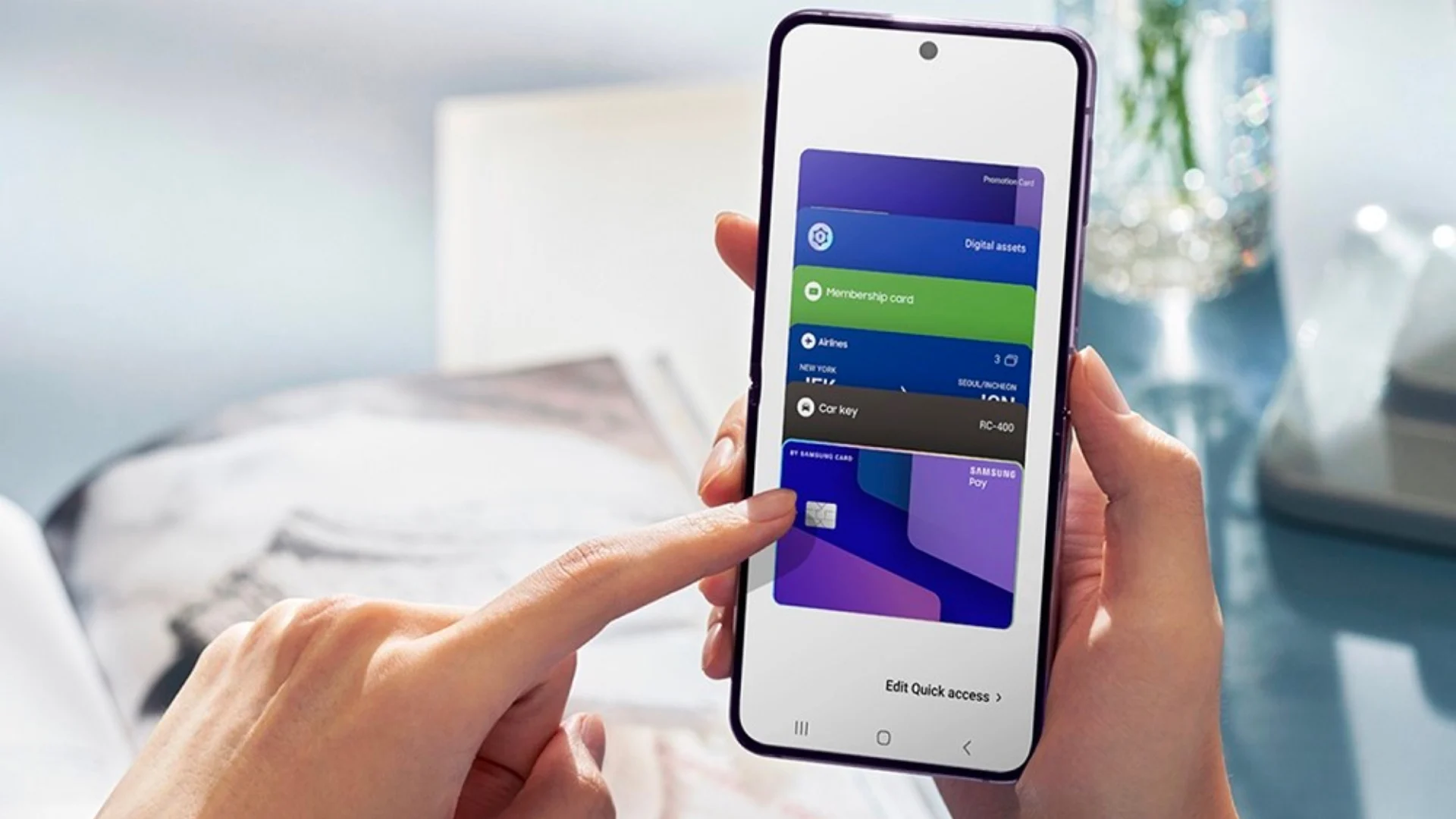
Much like Google Wallet, Samsung Wallet extends its utility well beyond simple payment cards. The application securely stores a variety of digital assets:
- Loyalty programs and membership cards
- Event tickets and passes
- Boarding passes for flights
- Coupons and vouchers
Scanning and adding these items is seamlessly integrated directly within the app, simplifying your digital life.
A Key Differentiator: Digital Keys and Advanced Connectivity
A crucial distinction between Samsung Wallet and Google Wallet is its advanced support for digital keys. Leveraging both Near Field Communication (NFC) and Ultra-Wideband (UWB) technology, Samsung Wallet can securely store virtual car keys and digital door lock credentials. This innovative feature means that if you own a car or smart lock compatible with NFC or UWB, your smartphone is all you need for access and even to start your vehicle. This is a significant step towards a truly keyless future, offering unparalleled convenience for compatible devices.
Enhanced Security and Seamless Integration with Samsung Ecosystem
Security is paramount for any digital wallet, and Samsung Wallet addresses this with robust measures. A vital feature is its integration with Samsung Pass, a secure password manager that operates locally on your device. This ensures that your sensitive login information is protected. Furthermore, users can rest assured about the security of all added documents and digital keys, as all data within Samsung Wallet is safeguarded by the industry-leading Samsung Knox security platform. Samsung Knox provides multi-layered protection, from hardware to software, against malware and malicious threats.
Beyond payments and keys, Samsung continues to build a connected ecosystem. For users looking to seamlessly share files across Samsung devices, the Quick Share feature offers an intuitive and rapid solution, similar to Apple’s Airdrop, further enhancing the utility of Samsung devices.
Availability: A Samsung-Exclusive Experience
While Google Wallet boasts broad accessibility, being available to nearly every Android user, Samsung Wallet operates within a more exclusive ecosystem. Its availability is limited to owners of Samsung smartphones and Galaxy Watch smartwatches. This makes Samsung Wallet a closed solution, highly optimized for Samsung’s proprietary hardware, but inherently lacking the universal reach of its Google counterpart. Despite this, for those within the Samsung ecosystem, it offers a deeply integrated and optimized experience.
For users interested in the broader landscape of Android features, understanding how updates like those in Android 16 can enhance transit mode functionality on devices like Google Pixel highlights the continuous innovation across the Android platform.
Frequently Asked Questions (FAQ)
What is the main difference between Samsung Wallet and Google Wallet?
The most significant difference lies in Samsung Wallet’s support for digital car keys and door locks using NFC and UWB technology, a feature currently not offered by Google Wallet. Additionally, Samsung Wallet is exclusive to Samsung devices, whereas Google Wallet is available across a wide range of Android smartphones.
Which banks are compatible with Samsung Pay within Samsung Wallet?
Samsung Pay supports a wide array of major banks and financial institutions globally. While specific bank availability can vary by region, it generally includes leading banks, making its compatibility comparable to Google Wallet in most markets. Users should check the Samsung Wallet app or their bank’s website for the most up-to-date list of supported institutions in their area.
How secure is Samsung Wallet?
Samsung Wallet is highly secure, protected by the Samsung Knox platform, which offers multi-layered security from hardware to software. All data, including payment cards, digital keys, and personal documents, is encrypted and safeguarded against unauthorized access and malicious threats. It also integrates with Samsung Pass for secure password management.
Source: Samsung. Opening photo: Krzysztof Wilamowski
About Post Author
