

Contents
Effortless Migration: How Google is Revolutionizing the iPhone to Android Switch
During the highly anticipated The Android Show: I/O Edition 2026, Google unveiled the future of the world’s most popular mobile operating system. While much of the presentation focused on Gemini Intelligence, Android Auto enhancements, and the new Googlebooks, one of the most exciting announcements was the promise of a simplified, wireless data transfer from iPhone to Android. This major upgrade guarantees a completely painless transition for users moving from Apple’s walled garden to the flexible world of Android.
Simplifying the Switch from iOS to Android
For years, switching from an iPhone to an Android device was synonymous with juggling lightning-to-USB-C cables, manually backing up photos to third-party clouds, and the frustrating task of setting up digital accounts from scratch. With the Google ecosystem under construction and continually expanding with smarter integration tools, the tech giant aims to reduce this tedious process to just a few simple taps on your screen.
In practical terms, this means that a massive portion of your digital life—from your address book to complex mobile network configurations—can now be migrated automatically. Whether you are moving to a Google Pixel or sizing up a flagship like the Samsung Galaxy S26 Ultra vs the iPhone 17 Pro Max, this new protocol ensures that user involvement is kept to an absolute minimum.
How the New Wireless Transfer Works
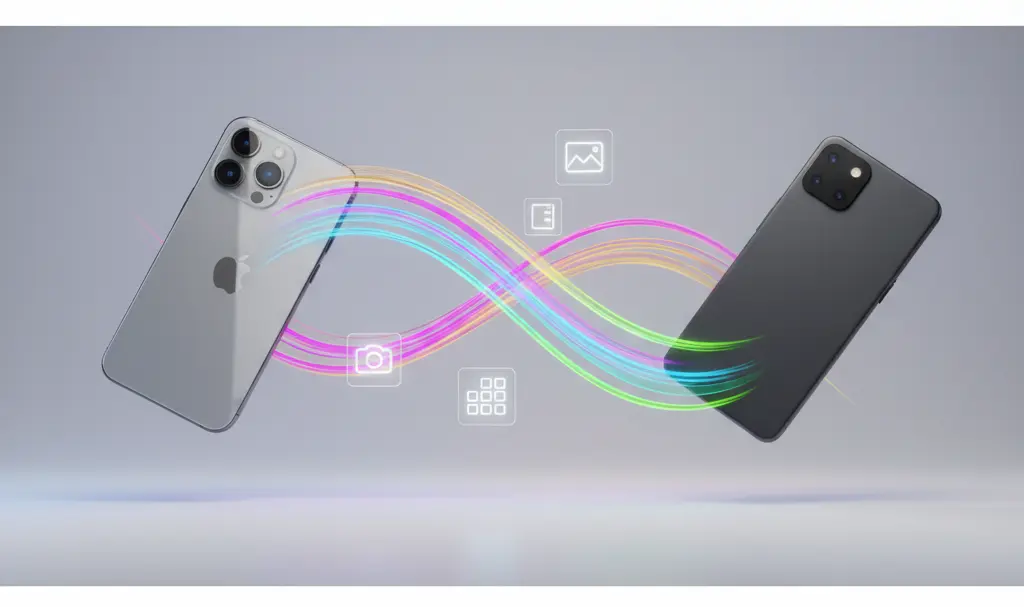
The upgraded migration process begins the moment you boot up your brand-new Android smartphone out of the box. During the initial setup phase, users can select the option to copy data from an iPhone using a secure, direct Wi-Fi connection. No physical cables are required.
Behind the scenes, this frictionless experience relies heavily on the newly updated Android Switch application and core Google Play Services. These systems work collaboratively to rebuild your digital footprint on the new hardware. The process automatically handles Google account authentication, maps your iCloud backups and local iPhone storage to corresponding Android categories, and correctly assigns them to local applications and system settings. As a user, you will simply see a clean progress bar and standard prompts reminding you to keep both devices charged and connected to the same network.
What Data Can You Transfer from iPhone to Android?
The most significant leap in this next-generation migration tool is the sheer volume and type of data it can successfully port over. It goes far beyond simply moving a few downloaded MP3s and a contact list. Google has officially confirmed that the following elements can be copied wirelessly:
- High-Resolution Media: Entire libraries of photos and videos from your local storage and iCloud.
- Communication Data: Contacts, detailed call logs, and SMS/MMS messages.
- App Ecosystem: Your favorite free applications, effectively matching iOS apps with their Android counterparts on the Google Play Store.
- Personalization & Settings: Home screen layouts, saved Wi-Fi networks, passwords, calendar events, and notes.
- Privacy Configurations: Selected privacy permissions and notification settings, provided they align with Android’s system architecture.
Ultimately, your new Android device will look and feel remarkably familiar right from the very first boot.
The Seamless eSIM Transfer
Apple has also cooperated on this front, confirming seamless migration paths for critical system data. Once the primary file transfer is complete, users can instantly port their active eSIM from the iPhone to the new Android device. A new “Transfer eSIM to Android” option now appears natively within iOS settings, while the Android setup assistant provides a dedicated handshake tool to initiate the session. As long as your cellular carrier supports cross-platform digital migration, moving your phone number takes just a few minutes without the need for a physical SIM card or calling customer support.
Device Compatibility and Release Date
Google announced that this modernized transfer protocol will roll out initially to Samsung Galaxy and Google Pixel smartphones later this year. Over time, the functionality will become available across the broader market to other OEM brands through upcoming Google Play Services updates and future Android OS releases. Eventually, this streamlined migration process will become the standard configuration step for almost all new Android devices.

On the Apple side, keeping your device updated is essential. The fully integrated “Transfer to Android” feature, including the highly requested eSIM support, is available starting with iOS 26.3 and newer iterations.
Frequently Asked Questions (FAQ)
Does the new wireless transfer tool migrate my WhatsApp and encrypted messaging history?
Yes. The integrated transfer process hooks into standard encrypted backup mechanisms, allowing you to securely migrate your WhatsApp chat history, including voice notes and media, without relying on third-party cables. Ensure both devices remain unlocked and connected to the same Wi-Fi network during the prompt.
Will transferring my data wirelessly delete the original files from my iPhone or iCloud?
No. The Android Switch tool strictly copies the data from your iOS device and iCloud account. Your original photos, videos, contacts, and settings remain completely intact and untouched on your iPhone and Apple servers.
What happens to paid iOS applications when I switch to Android?
While the new tool excels at finding and installing the Android equivalents of your free iOS apps, paid applications cannot be transferred due to varying app store policies and distinct licensing between Apple and Google. You will need to repurchase premium apps or restore subscriptions if the developer offers cross-platform accounts.
Source: Android Authority, Google, Yahoo, YouTube. Opening photo: Gemini
About Post Author
