

Contents
Stay Secure: Samsung Rolls Out May 2026 Security Update to Galaxy Devices
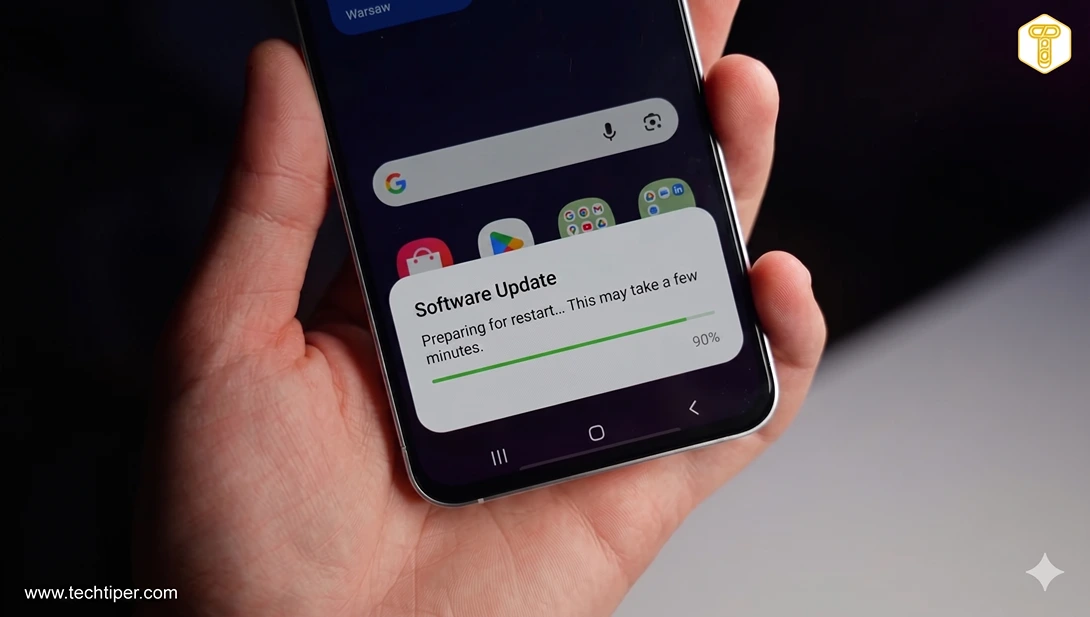
Samsung has commenced the global distribution of its essential May 2026 security update across a broad spectrum of Galaxy smartphones and tablets. This crucial release not only fortifies device security by patching numerous vulnerabilities and enhancing overall system stability but also lays the groundwork for the upcoming stable release of One UI 8.5, powered by Android 16. The update is being made available to both the latest flagship models and popular mid-range devices from the Galaxy A-series, ensuring a wider reach for enhanced protection.
What’s Included in the May 2026 Security Update?
The May 2026 security package for Galaxy devices is formally known as an SMR (Security Maintenance Release). This comprehensive update integrates critical patches developed by Google for the Android operating system alongside Samsung’s proprietary fixes designed specifically for its One UI overlay and various manufacturer services. According to Samsung’s official security documentation, a total of 39 vulnerabilities have been addressed this month. These include 29 patches for core Android system issues and 10 specific to Samsung’s software. The patched vulnerabilities encompass serious threats such as:
- Remote code execution, which could allow unauthorized control of your device.
- Privilege escalation, enabling malicious actors to gain higher access levels.
- System security bypasses, which could circumvent existing protective measures.
This update advances the security level to May 1, 2026, or later, confirming that all improvements detailed in the Android Security Bulletin have been fully incorporated into the Galaxy firmware.
Which Samsung Galaxy Devices Are Receiving the Update?
A wide range of Samsung Galaxy devices are either currently receiving or will soon receive the May 2026 security patch. This extensive rollout ensures that many users can benefit from the latest security enhancements. The list includes:
Flagship Galaxy Devices:
- Galaxy S Series: The latest Galaxy S26 and S25 models, including their Ultra, Edge, and FE variants.
- Previous Flagships: The still popular Galaxy S22 series, including the FE version.
Mid-Range Galaxy A-Series:
Samsung is also extending the rollout to select mid-range A-series devices, reinforcing its commitment to security across its diverse product portfolio. Users of models such as the Galaxy A57, A56, A55, A54, and A53 should anticipate the update soon. For more details on similar updates for mid-range devices, you can read about the Samsung Galaxy A36 security update and One UI 8.5.
Foldable Galaxy Devices:
Newer foldable devices are also part of this critical update wave, ensuring cutting-edge technology remains secure. This includes models from the Galaxy Z Fold and Z Flip families, such as the latest Fold 7, Flip 7, TriFold, and select older models like the Fold 5 and Flip 4.
The availability of this new software update is region-dependent. Initially, the update will reach regions such as Europe and India, with subsequent markets receiving the update in phased rollouts over the coming days and weeks.
How to Check for and Install the Update
To ensure your Samsung Galaxy device is running the latest and most secure software, follow these simple steps to check for and install the May 2026 security update:
- Open the Settings application on your Galaxy device.
- Scroll down and tap on “Software update.”
- Select the option “Download and install.”
Your device will then search for available updates. If the May 2026 security update is available, you will be prompted to download and install it. It’s important to note that updates can sometimes appear with a delay in certain regions. Therefore, it’s advisable to check periodically every few days, especially if your device is listed among those actively supported by Samsung.

Why Are Security Updates So Important?
Regular security updates, like the May 2026 patch, are paramount for maintaining the integrity and safety of your smartphone. These updates do much more than just fix bugs; they actively protect your personal data and device functionality from evolving cyber threats. By addressing vulnerabilities that could be exploited by hackers, Samsung ensures that your device remains a secure platform for your daily activities, from banking to communication. Neglecting updates can leave your device exposed to malware, data breaches, and other malicious attacks, compromising your privacy and potentially leading to significant financial or personal loss.
Frequently Asked Questions (FAQ)
Why haven’t I received the May 2026 security update on my Samsung Galaxy device yet?
Software updates are typically rolled out in phases, meaning not all devices or regions receive them simultaneously. Factors such as your geographical location, carrier, and specific device model can influence when the update becomes available to you. Samsung usually prioritizes certain regions or device groups first. If you’ve checked your settings and don’t see it, try again in a few days or weeks.
What is One UI 8.5 and Android 16, and how does this security update relate to them?
One UI 8.5 is the next major iteration of Samsung’s custom user interface that runs on top of the Android operating system, specifically Android 16. While the May 2026 security update primarily focuses on patching vulnerabilities and enhancing current system stability, it also serves as a preparatory step for the future stable release of One UI 8.5. This means the security update ensures your device’s core software is robust and ready to seamlessly transition to the new Android version and Samsung’s updated interface once they are released.
Are there any known issues or specific precautions I should take before installing the update?
While Samsung thoroughly tests its updates, it’s always good practice to take a few precautions. Ensure your device has sufficient battery charge (at least 50%) or is connected to a charger during the update process. Also, it’s highly recommended to back up your important data before any major software update, though security updates rarely cause data loss. If any widespread issues were to arise, Samsung typically communicates these, but generally, security updates are stable and primarily focus on backend improvements.
Source: Sammy Fans, Samsung. Opening photo: Gemini
About Post Author
