

Contents
Samsung Accelerates One UI 9.0 (Android 17) Rollout to Mid-Range Galaxy A-Series
Samsung is setting an impressive pace for software updates, bringing its latest One UI 9.0, built on Android 17, to its affordable A-series smartphones with remarkable speed. This commitment ensures that even mid-range device users benefit from the newest features and improvements.
One UI 9.0 Arrives for Galaxy A27 and A37
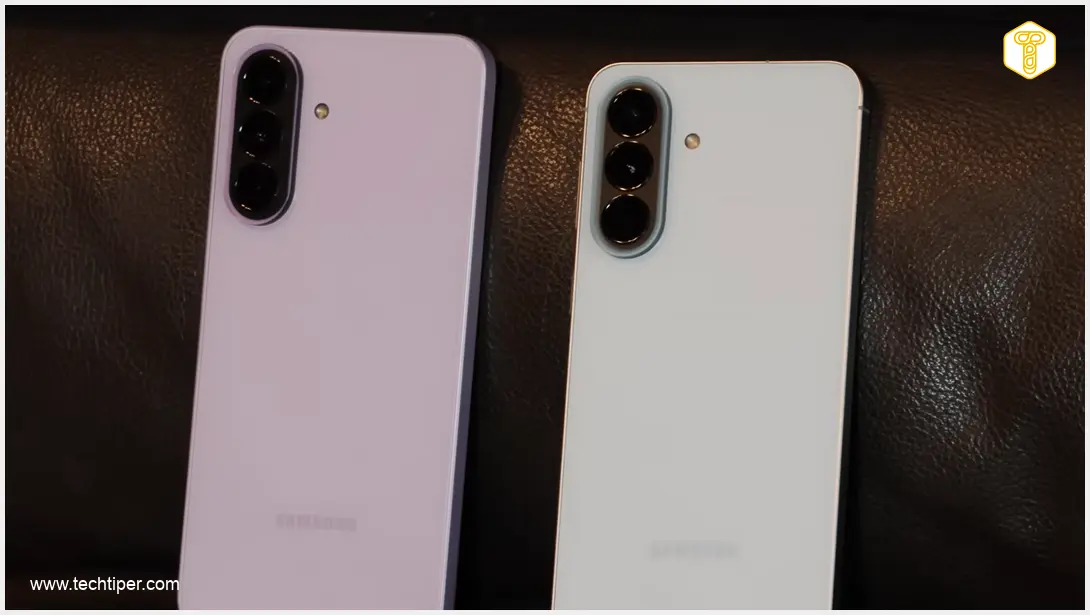
The stable One UI 9 update is progressively reaching more Samsung devices. Following its recent release for the Galaxy A57, Samsung has now extended the update to other popular mid-range models within the same generation: the Galaxy A27 and Galaxy A37.
The distribution process officially commenced with:
- Build number A276KKSU3BZIF for the Galaxy A27.
- Build number A376NKSU3BZI6 for the Galaxy A37.
The release of these stable builds signifies the official conclusion of open beta testing for both popular smartphones. Users can now enjoy a polished and reliable software experience. The One UI 9 update brings numerous enhancements, including innovative functionalities like namedrop and advanced multi-window capabilities, which you can explore further in our dedicated articles: Samsung One UI 9 Namedrop Feature and What is New in One UI 9: Multi-Window, AI, Cross-Device.
Key Enhancements in One UI 9.0
This latest iteration of Samsung’s custom interface introduces significant improvements designed to enhance user experience across various aspects:
- Redesigned Quick Panel: Enjoy a completely overhauled quick settings panel offering broader customization options and easier access to frequently used controls.
- Refreshed Samsung DeX Environment: The desktop-like experience offered by Samsung DeX has been updated, providing a more seamless and productive multi-tasking environment when connected to an external display.
- Enhanced Samsung Notes Application: The popular Samsung Notes app receives a refresh, likely including new tools, improved organization, and a more intuitive interface for note-taking.
It is important to note that flagship solutions powered by Galaxy AI, such as advanced generative AI features, remain exclusively reserved for Samsung’s premium devices in the S and Z series.
Update Availability: What to Expect
As is customary with Samsung’s software rollouts, the initial deployment of One UI 9.0 traditionally begins in the manufacturer’s home market, South Korea. However, based on Samsung’s established update patterns, a broader global expansion of this new software is widely anticipated in the coming days and weeks.
Users of the Galaxy A27 and Galaxy A37 in other regions should keep an eye on their device notifications for the update’s availability in the near future. To manually check if the update is ready for your device, navigate to the Settings menu, then select Software update, and tap on Download and install.
Frequently Asked Questions (FAQ)
One UI 9.0 brings a redesigned Quick Panel for better customization, refreshed Samsung DeX for enhanced productivity, and an updated Samsung Notes application. It also includes the core improvements of Android 17 for a smoother and more secure experience.

No, the advanced Galaxy AI features are currently exclusive to Samsung’s higher-end S and Z series devices and are not part of the One UI 9.0 update for the A-series models like the Galaxy A27 and A37.
While the initial rollout typically starts in South Korea, a global expansion is expected within the coming days to weeks. It is advisable to regularly check your device’s settings under the “Software update” section for availability.
Before initiating the update, ensure your phone is adequately charged (preferably over 50%), back up any critical data to a cloud service or external storage, and connect to a stable Wi-Fi network to avoid data charges and ensure a smooth download.
Source: Sammobile, original work. Opening photo: Michal Kosmala
About Post Author
