

Contents
Breaking the Ecosystem Barrier: OPPO and vivo Flagships Introduce AirDrop Support via Quick Share
Google is consistently expanding and refining connectivity features within the Android ecosystem. In a major leap for cross-platform compatibility, Quick Share (formerly Nearby Share) is bridging the gap with Apple’s AirDrop protocol. This highly requested functionality is now rolling out to a broader range of smartphones, and owners of the latest OPPO and vivo ultra-flagships are the newest beneficiaries of this seamless device-to-device transfer system.
Quick Share Meets AirDrop on Premium Android Devices
The ability to share files directly from Android to iOS originally debuted on Google Pixel smartphones. A few months later, the feature expanded to a vast array of Samsung Galaxy models. It did not take long for leading global manufacturers to follow suit and implement this cross-platform functionality on their premium hardware.
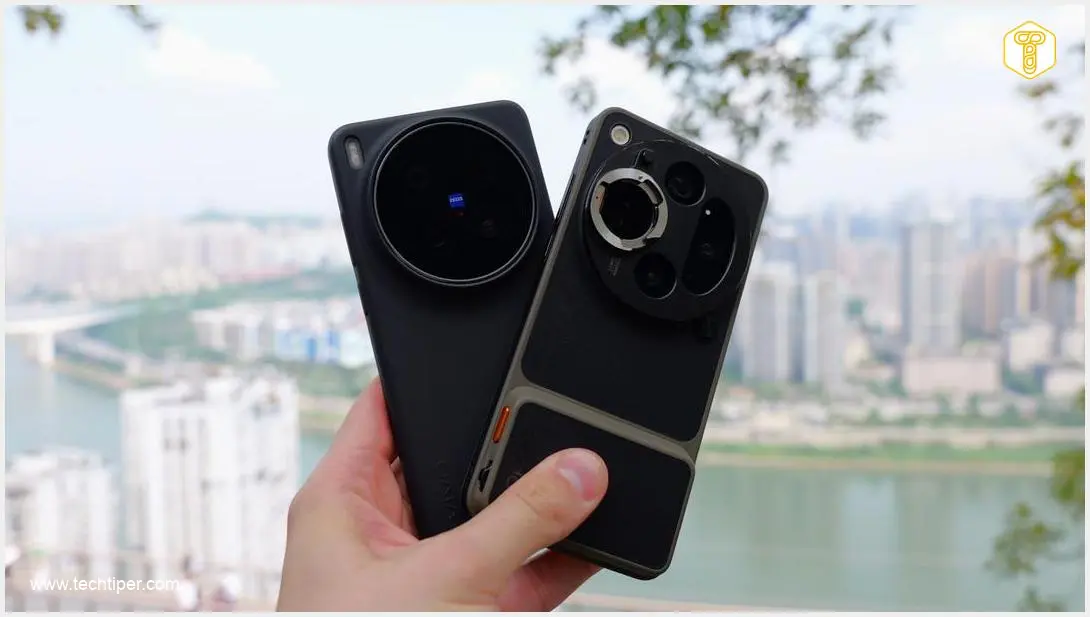
Recently, the highly anticipated OPPO Find X9 Ultra and the camera-centric vivo X300 Ultra received an update enabling AirDrop compatibility directly through the Quick Share menu. Users of these cutting-edge devices can now effortlessly send files to Apple hardware, effectively tearing down the traditional barriers between the two dominant operating systems. Before attempting to use the feature, users should ensure their smartphone is running the latest software version to guarantee smooth operation.
How to Transfer Files from Android to iOS
Operating the new cross-platform sharing tool is incredibly intuitive, providing instant access when you need to transfer media. Here is how you can use it:
- Select the file, high-resolution photo, or video you wish to send.
- Open the standard sharing menu on your device and tap on Quick Share.
- Your smartphone will notify you of compatibility and automatically scan for Apple hardware nearby.
- Once detected, the target iPhone, iPad, or Mac will appear on your list of available nearby devices.
After selecting the desired device, the transfer is initiated with a single click and occurs directly between the two hardware units over a wireless connection.
Key Benefits of the Upgraded Sharing Mechanism
The integration of AirDrop protocols into Quick Share offers several massive advantages for daily usage. It eliminates the clunky workarounds of the past, bringing a unified experience to mixed-device environments.
- High-Speed Transfers: Moves gigabytes of data in seconds using direct, high-bandwidth wireless protocols.
- End-to-End Encryption: Ensures that all your wireless transmissions remain strictly secure and private.
- Uncompressed Quality: Perfectly handles high-resolution photography, heavy videos, and large documents without any quality loss.
- No Extra Apps Needed: Removes the necessity for third-party cloud storage apps, slow messaging services, or physical cables.
Frequently Asked Questions (FAQ)
Does Quick Share to Apple devices require a specific software version on OPPO and vivo phones?
Yes, the AirDrop compatibility feature is being rolled out via system updates. You must ensure your ultra-flagship device is running the latest available firmware to access cross-platform sharing capabilities seamlessly.

Are file transfers between Android and iOS secure using this built-in method?
Absolutely. Direct device-to-device transfers utilize secure, encrypted wireless connections. This protects your personal data and ensures that your files, photos, and videos cannot be intercepted during the transfer process.
Can I send large 4K video files from my Android directly to an iPhone?
Yes, the upgraded Quick Share mechanism is designed specifically to handle massive files. It moves high-resolution images and heavy 4K video files rapidly without relying on internet-based cloud uploads or physical cables.
Source: GSMArena & Opening photo: Krzysztof Wilamowski
About Post Author
