

Contents
Revolutionizing In-Car Communication: WhatsApp Voice Commands Arrive on Android Auto
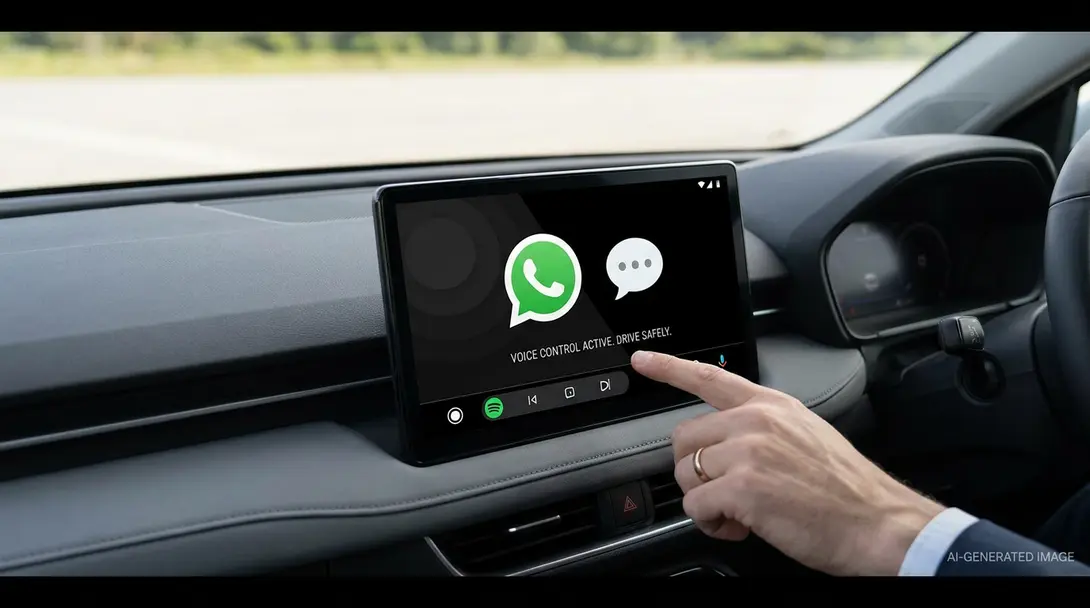
Driving safely means minimizing distractions. Screen interfaces, while helpful, can divert a driver’s attention from the road. This is why the latest update for Android Auto, bringing enhanced WhatsApp integration through comprehensive voice commands, is a significant step forward. It allows users to manage their communications hands-free, promoting a safer and more focused driving experience.
Google initially hinted at expanded voice support for WhatsApp calls in Android Auto back in 2023. While the full rollout took a bit longer, the functionality is now becoming available, transforming how users interact with the popular messaging app while on the go. This update is particularly crucial as voice commands are proven to reduce the need for drivers to look away from the road or take their hands off the wheel.
Enhanced WhatsApp Voice Control Features in Android Auto
With this new integration, drivers using Android Auto can now harness the power of their voice for a variety of WhatsApp tasks:
- Play Messages: Request Android Auto to read aloud incoming WhatsApp messages, keeping your eyes on the road.
- Reply and Send Messages: Dictate responses or new messages and send them without touching your phone or the car’s screen.
- Make Voice Calls: Initiate WhatsApp voice calls to contacts directly through voice commands.
- Check Call History: Access your recent WhatsApp call log effortlessly using voice prompts.
- Locate Favorite Contacts: Quickly find and connect with frequently messaged contacts.
This suite of voice-activated features underscores Google’s commitment to creating a more integrated and less distracting in-car experience. It builds on the foundation of existing voice assistants and makes everyday communication tools like WhatsApp truly hands-free.
Beyond Voice: Broader WhatsApp Enhancements
While the focus for Android Auto users is clearly on the new voice command capabilities, WhatsApp has been busy introducing several other significant updates across its platforms. These enhancements aim to make the app more versatile and user-friendly, regardless of the device you’re using. For instance, new features include the ability to register an account directly on an iPad, offering greater flexibility for tablet users. Additionally, WhatsApp has introduced native support for PDF files, making it easier to share and view documents and scans within the app, a format that remains widely popular for professional and personal use.
The “refreshed car experience” extends beyond Android Auto, with similar integrations rolling out for other in-car infotainment systems. For a deeper dive into how WhatsApp is evolving its in-car experience, particularly concerning video streaming and other advanced features, you might find this article insightful: WhatsApp Apple CarPlay Integration: What You Need to Know About Video Streaming.
The integration of advanced AI and conversational tools into car systems is also rapidly advancing. To understand the broader landscape of how AI is shaping our in-car digital lives, including developments with Gemini, explore: ChatGPT, Apple CarPlay, Android Auto, and Gemini Integration: The Future of In-Car AI.
These collective updates from WhatsApp highlight a strategic move towards a more interconnected and intuitive user experience, whether you’re behind the wheel, on a tablet, or simply sharing documents.
Frequently Asked Questions (FAQ)
While Google initially announced this feature for 2023, the rollout is gradual. It is now becoming available to users, but the exact timeline for universal availability can vary. Users should ensure their Android Auto and WhatsApp applications are updated to the latest versions to receive the new features as soon as they are pushed out.

While comprehensive, voice command capabilities depend on the accuracy of voice recognition and environmental factors like background noise. Complex commands or very specific contact names might sometimes require repetition. The primary goal is safe, hands-free operation, so advanced features that could be distracting (like browsing media galleries) are intentionally limited.
The current update primarily focuses on voice-based interactions, including voice calls and message management, to ensure driver safety by minimizing visual distractions. While the “refreshed car experience” might include video streaming capabilities in other contexts, facilitating video calls directly on the Android Auto screen through voice commands is not a feature mentioned in this specific update, aligning with safety guidelines for in-car systems.
Native PDF support in WhatsApp means users can now open, view, and share PDF documents directly within the app without needing to rely on external viewers or leaving the chat interface. This streamlines the process of exchanging important documents, invoices, or scanned files, making WhatsApp a more comprehensive communication tool for both personal and professional use.
Source: 9 to 5 Google. Opening photo: Krzysztof Wilamowski.
About Post Author
