

Contents
Is 8GB RAM Enough for Windows 11 in Late 2026? We Tested It
When considering the minimum hardware requirements for Windows 11, 4GB of RAM is often cited. However, even the most affordable new laptops today typically offer 8GB as a baseline. This amount is still a far cry from the recommended 16GB for optimal performance. To shed light on this, we conducted tests to see how Microsoft’s latest operating system utilizes memory by the end of 2026.
How Windows 11 Manages 8GB RAM: A Practical Look
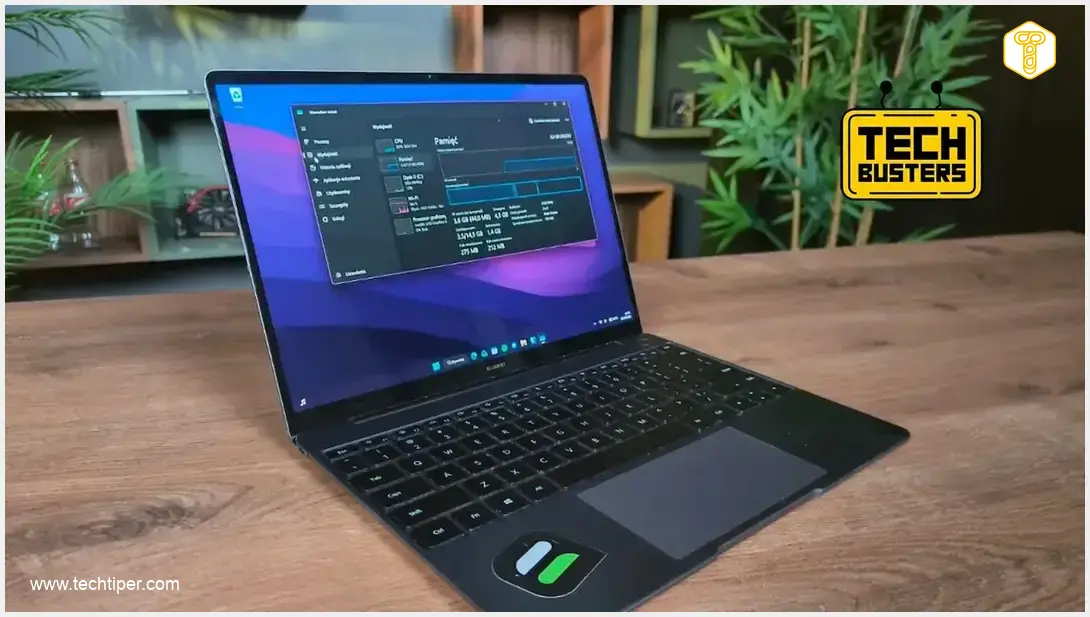
To thoroughly evaluate Windows 11’s memory management with limited RAM, we utilized a 2019 HUAWEI MateBook 13 (WRT-WX9) laptop. This particular device, previously featured in our Windows 11 performance and privacy guide, comes equipped with 8GB of RAM, making it an ideal testbed for our investigation.
Initial Observations: RAM Usage at Startup
The first indications of potential memory constraints became apparent immediately after booting Windows 11. With no user applications running in the background, the operating system alone consumed approximately 3.5GB of RAM. This leaves a relatively small margin for applications before hitting the physical limit.
Demanding Applications: Pushing the Limits
To stress the system further, we launched Minecraft, one of the more accessible games supported today. This alone caused the total RAM usage to jump to roughly 10GB—a figure that already surpasses the 8GB of physical memory available on our test laptop.
The situation escalated when we introduced web browsing into the mix. Opening Google Chrome with several standard tabs pushed the memory consumption to nearly 12GB.
For even more intensive tasks, we then initiated a video editing program, DaVinci Resolve, alongside several other applications. This combination led to a staggering memory demand exceeding 20GB. This raises a crucial question: how is it possible for a system with only 8GB of physical RAM to utilize such high amounts?
Windows 11’s Emergency Resource: The Paging File
The seemingly impossible higher memory usage figures we observed are attributable to Windows 11’s intelligent memory management, which extends beyond physical RAM. When physical memory is insufficient, Windows 11 leverages a “paging file,” commonly known as virtual memory. This hidden system file, typically named pagefile.sys, dynamically assists the operating system when the computer’s physical RAM is overwhelmed.
Understanding Virtual Memory: Not a Replacement for RAM
It’s vital to understand that the paging file is not a substitute for physical RAM; rather, it’s an emergency solution designed to maintain the stability and functionality of applications and the operating system when physical memory resources are exhausted. While it prevents crashes, it comes with significant performance implications.
For instance, a game requiring 16GB of RAM cannot simply “borrow” the missing gigabytes from an SSD and perform optimally. This is due to the fundamental difference in data transfer speeds:

- Modern RAM (e.g., DDR5) boasts data transfer rates ranging from 32 to 64 gigabytes per second (GB/s).
- In contrast, even the fastest NVMe SSDs offer read and write speeds typically around 7 GB/s.
This substantial speed disparity means that relying heavily on the paging file introduces significant latency, severely impacting performance for demanding applications like gaming or professional content creation. You can find more details on how Windows 11 impacts system performance in our article about major changes and native app improvements.
Conclusion: The Limits of 8GB RAM on Windows 11
While Windows 11’s optimization in efficiently utilizing the paging file is commendable for system stability, it’s clear that 8GB of RAM imposes significant limitations. Tasks such as high-end gaming or heavy multitasking with audio/video editing software will simply not be feasible on a system with only 8GB of physical RAM, even with virtual memory assisting.
For a smoother and more responsive experience, especially as software continues to evolve, upgrading to 16GB of RAM or more is highly recommended for Windows 11 users by late 2026.
Frequently Asked Questions (FAQ)
Microsoft officially states that 4GB of RAM is the minimum requirement for Windows 11. However, this is barely enough for basic operations and will likely lead to poor performance and frequent reliance on virtual memory.
For a smooth user experience, especially with modern applications and multitasking, 16GB of RAM is generally recommended for Windows 11. This allows for comfortable browsing, office work, and light content creation without significant performance bottlenecks.
Windows 11 uses a paging file (pagefile.sys) as virtual memory when physical RAM is exhausted. It temporarily moves less-used data from RAM to the hard drive (SSD), freeing up physical memory for active tasks. While it prevents system crashes, it significantly slows down performance due to the much slower access speeds of storage drives compared to RAM.
Based on our tests and current software trends, 8GB of RAM will likely *not* be sufficient for a satisfactory gaming experience on Windows 11 by late 2026, especially for newer, more demanding titles. Games often require significant RAM, and relying on virtual memory will cause noticeable stuttering and slow loading times. For gaming, 16GB or more is highly recommended.
Yes, while 8GB RAM has its limitations, you can optimize Windows 11 by closing unnecessary background applications, managing startup programs, regularly clearing temporary files, and ensuring your drivers are up to date. Disabling visual effects and using lightweight browsers can also help. However, these are workarounds; a RAM upgrade remains the most impactful solution for significant performance improvement.
Source: own research. Opening photo: Krzysztof Rojek, own montage
About Post Author
