

Contents
Google Messages Tests Low Light Boost to Enhance Dark Photos
Google Messages is evolving at an impressive pace, rapidly transforming from a standard texting app into a feature-rich communication platform. Recent software teardowns reveal that Google is preparing to tackle one of the most common smartphone photography complaints: dark, underexposed images shared in chats.
The tech giant from Mountain View is actively working on improving how its internal camera and media gallery handle low-light conditions, ensuring that your shared memories are always visible, regardless of the lighting.
What is the Low Light Boost Feature?
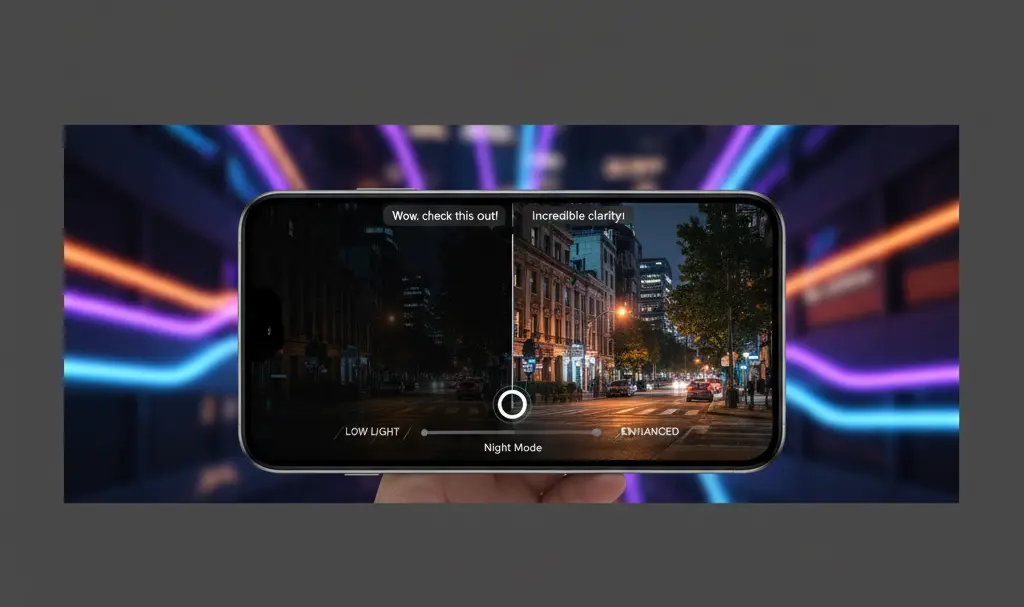
Recent analysis of the Google Messages app code by Android Authority uncovered traces of a new, unreleased tool called Low Light Boost. This feature is specifically designed to correct underexposed photos right at the chat display stage.
Interestingly, the mechanism does not permanently alter the original photo’s parameters or EXIF data. Instead, it intelligently acts as a display filter. When you view an image in the chat, the software artificially boosts the exposure and brightness, allowing you to see hidden details without modifying the actual file sent or received.
This software-driven approach is part of a broader push to make media sharing more dynamic. It seamlessly complements other recent visual and audio enhancements, such as the Ultra HDR and voice transcription copy feature, adding to the app’s growing suite of premium capabilities.
How Low Light Boost Works in Practice
Based on the underlying code, the enhancement tool is built for maximum convenience and automation. Here is what users can expect:
- Two-Way Functionality: The brightness adjustment applies to both the photos you send and the ones you receive from your contacts.
- Automatic Activation: Low Light Boost is designed to activate automatically. If the app detects a dark scene that requires brightening for better legibility, it will seamlessly apply the exposure boost.
- Non-Destructive Viewing: Because the adjustment happens at the display level, the original file remains entirely intact.
Enhancing Communication in Every Environment
Whether you are coordinating a night out using the real-time location sharing feature or simply exchanging late-night snaps with friends, visibility is crucial. By automatically brightening dark scenes, Google Messages ensures that context is never lost to poor lighting conditions.
When Will It Be Available?
As of now, Low Light Boost remains a hidden feature within the app’s code and has not been officially rolled out to the public. Google is likely conducting internal experiments, which is standard practice before a wide release.
However, because this functionality relies purely on software adjustments rather than requiring specialized camera hardware, it is highly probable that the feature could begin rolling out to users in the coming weeks.

Frequently Asked Questions (FAQ)
Does the Low Light Boost feature permanently change the original photo?
No, the feature works non-destructively. It only enhances the brightness and exposure at the display level within the chat interface, leaving the original file data and metadata completely untouched.
Will this feature be available for older smartphones?
Because Low Light Boost is a software-based display enhancement within the Google Messages app, it does not rely on advanced camera hardware. As long as your device supports the latest versions of Google Messages, you should be able to use the feature once it is officially released.
Source: Android Authority | Opening photo: Gemini
About Post Author
