
Contents
Streamline Your Commute with Google Pixel’s New Transit Mode
Google is expanding the availability of one of the most exciting new features within the Pixel ecosystem. The anticipated “Transit Mode” is now rolling out to users, promising to simplify daily commutes. But what exactly is this mode, and how can Pixel users leverage this new tool?
Transit Mode Arrives on Pixel Devices
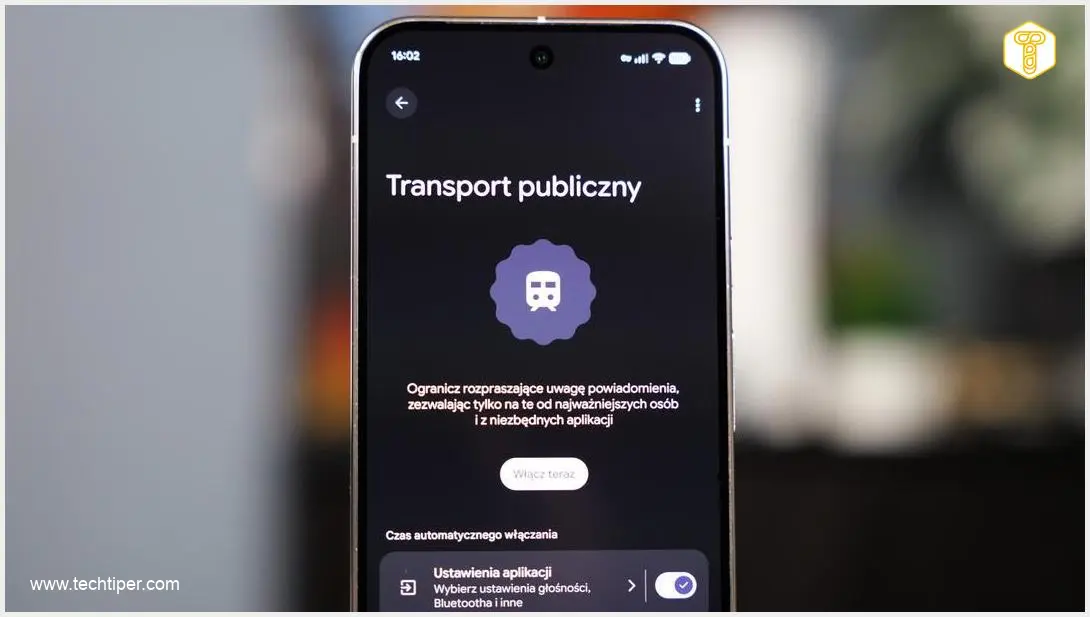
During its March Pixel Feature Drop, the tech giant based in Mountain View unveiled several intriguing new additions. While some features required a bit of a wait, the promised Transit Mode is now reaching Google smartphone users. This intelligent function is designed to automate your phone’s behavior during commutes, proving especially useful when using public transportation.
This feature allows users to customize their smartphone’s actions, ensuring a more focused and less disruptive journey. It integrates seamlessly with Google’s broader efforts in digital wellbeing and context-aware settings, aiming to enhance user experience during specific activities.
For more insights into Pixel’s latest advancements, explore our detailed overview of the Google Pixel Feature Drop.
Key Features of Transit Mode
Transit Mode offers a suite of customizable options to help manage your device’s interaction during travel:
- Sound Management: Users can select their preferred sound profile for public transit environments, choosing between completely silent, vibrate-only, or a quiet mode. This helps avoid disturbing fellow passengers.
- Notification Filtering: The mode allows for specific notification filters. You can choose to display only essential alerts or silence all non-critical notifications, ensuring you remain focused without missing important updates.
- Display Options: To minimize distractions and conserve battery, Transit Mode includes display adjustments such as a grayscale mode and the ability to dim the entire screen or just the wallpaper.
- Device Theme Change: Users also have the option to automatically change the device’s theme when Transit Mode is active, providing a visual cue and a tailored experience for their commute.
How to Activate and Utilize the New Mode
Activating Transit Mode on your Pixel device is straightforward and can be done in a few simple steps:
- Access Settings: Navigate to your phone’s system settings.
- Locate “Modes”: Find and tap on the “Modes” section (or similar context-aware settings within Digital Wellbeing).
- Customize: Here, you can tailor the tool’s behavior to suit your personal preferences, configuring sound, notifications, and display settings.
- Quick Activation: Once configured, Transit Mode can be quickly enabled or disabled with a single tap from your Quick Settings panel.
Additionally, the mechanism can operate partially automatically. For instance, it can activate based on a Bluetooth connection, such as when your phone connects to your headphones or a specific in-car system, intelligently anticipating your travel needs.
Beyond Transit Mode, Google continues to innovate with AI-powered features. Discover how Pixel devices are leveraging AI to automate screen interactions and enhance app functionality in our article on Google Pixel Gemini Screen Automation and AI Apps.
Availability and Future Outlook
The Transit Mode feature is rolling out to compatible Pixel devices running the latest Android version and the March Pixel Feature Drop. At present, it remains to be seen whether other Android manufacturers will implement similar features in their custom Android overlays.
Frequently Asked Questions (FAQ)
Transit Mode is designed to automate your smartphone’s behavior during commutes, especially when using public transportation. It helps reduce distractions and enhance focus by offering custom settings for sound, notifications, and display.
You can access Transit Mode through your Pixel’s system settings, typically under a “Modes” or “Digital Wellbeing” section. Once configured, you can quickly activate it from your Quick Settings panel.
Transit Mode allows you to customize sound profiles (silent, vibrate, quiet), filter notifications, adjust display settings (grayscale, screen dimming), and even change your device’s theme for a tailored commuting experience.
Yes, Transit Mode can be configured to operate partially automatically. For example, it can activate based on a Bluetooth connection, such as when your phone connects to your headphones or a vehicle’s system, anticipating your travel.
Currently, Transit Mode is part of Google Pixel’s Feature Drop. While it’s available on compatible Pixel devices, it is not yet confirmed if other Android manufacturers will integrate similar functionality into their own custom Android interfaces. Its availability on non-Pixel devices would depend on individual manufacturer decisions.
Source: Android Authority, internal research. Opening photo: Krzysztof Wilamowski
About Post Author
