

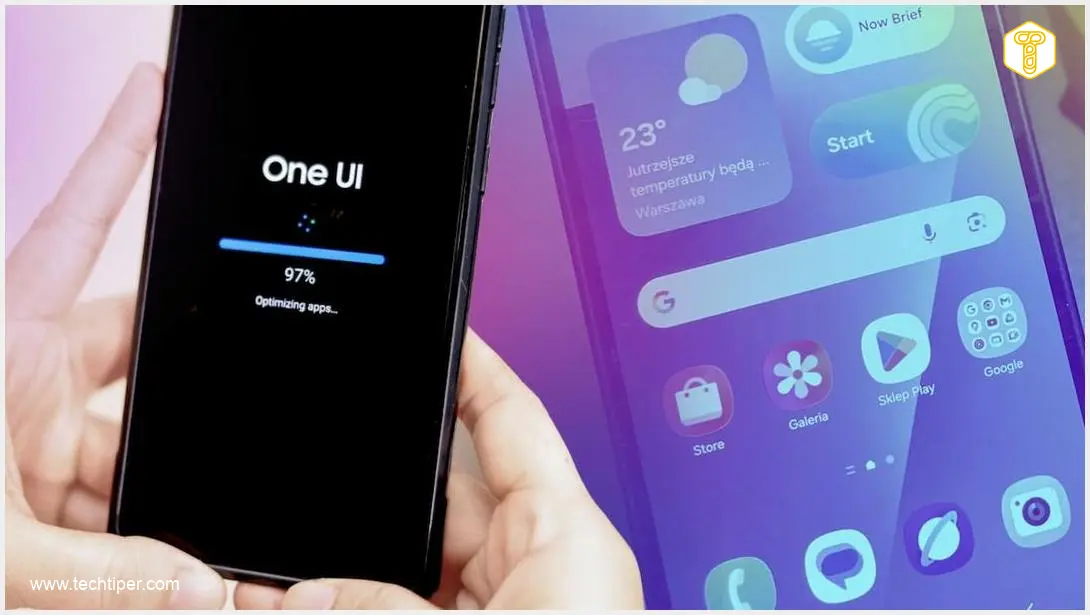
One UI 8.5 Update for Samsung Galaxy S23 Ultra Review
-
Overall Experience
-
Performance & Fluidity
-
New Features & Aesthetics
-
Galaxy AI Enhancements
-
Productivity Tools
-
Cross-Platform Connectivity
One UI 8.5: A Superficial Update for the Galaxy S23 Ultra

The One UI 8.5 update for the Galaxy S23 Ultra delivers minor aesthetic refinements and a somewhat snappier feel, but fundamentally fails to introduce significant new features or critical AI enhancements, leading to profound user disappointment and an unchanged foundation.

Advantages
- Snappier feel and smoother system animations.
- Refined interface elements, especially the call screen.
- Improved responsiveness across various interactions.
- Includes a security update post-installation.
- New option to secure photos using a private gallery.
Disadvantages
- Lack of significant new features; primarily aesthetic tweaks.
- Complete absence of new Galaxy AI photo and video editing tools.
- Missing the “Now Brief” AI summary feature.
- Omission of the new multi-page document scanner in the camera app.
- No wireless file sharing with Apple devices via Quick Share.
- Perceived as a deliberate strategy to limit older flagship functionality and push upgrades.
- Overall profoundly disappointing user experience.
Software updates are a double-edged sword for smartphone users, often sparking either immense excitement or profound frustration. However, with the One UI 8.5 update for the Samsung Galaxy S23 Ultra, Samsung appears to have charted a third course—one that leaves users staring at their screen post-installation, asking a rather uncomfortable question: “Is that all?” While the device undeniably feels snappier, animations are smoother, and the interface looks a touch more refined, it’s hard to shake the feeling that this entire update is merely a fresh coat of paint over an unchanged foundation. My personal experience with One UI 8.5 on the Galaxy S23 Ultra has been profoundly disappointing.
Contents
Initial Impressions: Minor Tweaks in One UI 8.5 for Galaxy S23 Ultra
I received the One UI 8.5 update on my Galaxy S23 Ultra on May 28th. I was initially enthusiastic, hoping for a significant upgrade packed with useful new features. Interestingly, after the initial installation, the system prompted me for yet another patch—this time a security update. This marked the first time I’ve encountered a situation where I had to install new software twice as part of a single update cycle.
The most immediately noticeable changes post-installation are the new system animations and a general improvement in overall system fluidity. This enhanced smoothness is particularly evident in the call screen interface, which now features refreshed icons for recent calls. The call buttons themselves have also undergone a visual refresh, appearing more distinct. This small but welcome change makes it easier to precisely tap options like disabling Bluetooth when my smartphone is connected to headphones, for example.
It feels as though Samsung has subtly optimized the interface, making the S23 Ultra feel more responsive than it did on the previous One UI version. This improved responsiveness is apparent across various interactions: gestures, opening applications, switching between windows, and the system animations, which are now more pronounced than ever. I believe these animation enhancements contribute significantly to the perceived performance boost.
Additionally, One UI 8.5 on the Galaxy S23 Ultra includes a visual refresh for certain interface elements, including the quick settings panel and parts of several system applications. These are purely aesthetic adjustments, however, offering few new functionalities that would fundamentally alter how one uses the phone.
Upon restarting the phone, a summary screen highlights improvements within Galaxy AI and other new features. These are, frankly, not groundbreaking. They primarily include:
- Enhancements to the object eraser tool in photos, promising more precise removal.
- The ability to transmit audio to other nearby individuals—a feature I’m unlikely to utilize.
- Call forwarding to direct voicemail, which, to me, feels like an outdated solution.
- The option to secure photos using a private gallery—this is the only feature that genuinely seems practical and useful.
Beyond these, I struggle to identify other novelties that genuinely enhance the user experience.
The Missing Features: One UI 8.5’s Unfulfilled Promises
Despite the somewhat positive initial observations, a profound sense of disappointment emerges when considering the features that, despite anticipation, never made it to my “aging” flagship device.
No New Galaxy AI Tools
A significant letdown is the complete absence of new Galaxy AI tools in One UI 8.5 for the S23 Ultra. This is particularly noticeable in photo and video editing. As correctly pointed out by industry observers like Sammobile, there are no new styles for photo processing nor any option to remove voice tracks from videos. This stands in stark contrast to the advanced AI capabilities often touted by Samsung for its newer models.
The Elusive Now Brief
Furthermore, Samsung has yet again opted not to introduce the “Now Brief” feature, which I previously wrote about during an earlier update cycle. This AI-powered option provides a concise daily summary, a highly convenient tool for busy users. My dissatisfaction deepens as it seems increasingly unlikely that the Galaxy S23 Ultra will ever receive this functionality.
A Crucial Document Scanner
I also deeply regret the omission of the new document scanner, which has been integrated into the camera application of other devices. As Sonia Gulina highlighted in an article detailing 10 new One UI 8.5 features, this scanner allows for multi-page document scanning, saving files as PDF or JPG, automatic shadow and clip removal, and AI-powered text readability enhancements. This particular feature would be incredibly beneficial for my work. Unfortunately, I’m still forced to rely on third-party applications like Microsoft Lens, which now requires a Microsoft 365 subscription for its full functionality.
Missed Opportunity for Cross-Platform Sharing
Another glaring absence is the ability to wirelessly share files with Apple devices. Samsung heavily promoted this feature in One UI 8.5, touting its “AirDrop-like” functionality within Quick Share. I eagerly awaited this, as many of my friends use iPhones, and easier photo or file exchange would be a considerable convenience. The lack of this feature has become a symbol of this update’s shortcomings, especially considering that its implementation is not technically impossible for the S23 Ultra. An AirDrop-like solution is not a technically complex tool requiring immense computational power. Learn more about Samsung Quick Share and its AirDrop-like integration.
The Frustrating Reality of Software Support
My disappointment stems from the fact that the Galaxy S23 Ultra remains a highly capable device with significant hardware potential. I firmly believe that the software limitations are not due to technical barriers, but rather a deliberate decision by the manufacturer to clearly differentiate between device generations.
Having owned this model for nearly three and a half years, these actions by Samsung implicitly push me towards upgrading my hardware. On one hand, the tech giant promises years of software support; on the other, this support is often severely limited, reserving the best features exclusively for the newest flagships. Consequently, One UI 8.5 appears to be an update designed more to “maintain” the phone’s operational status rather than genuinely develop and enhance its capabilities.
Updates of this nature are simply business decisions, which the user community interprets unambiguously: Samsung doesn’t want the S23 Ultra to be “too good,” lest it cannibalize sales of upcoming models like the S26 or S27. For more information on future updates, you might be interested in the Samsung Galaxy S25 One UI 8.5 update release date.
Frequently Asked Questions (FAQ)
The author expresses disappointment because while the update brought minor performance boosts and visual tweaks, it lacked significant new features, especially advanced Galaxy AI tools and enhanced connectivity options, leaving the device feeling only superficially updated rather than truly improved.
Key missing features include advanced Galaxy AI photo and video editing tools (like style selection or voice removal), the “Now Brief” AI summary feature, a new multi-page document scanner integrated into the camera app, and wireless file sharing with Apple devices via Quick Share (an AirDrop-like functionality).
The strategy creates frustration by offering “limited” software support, where essential new features are reserved for the latest models, despite older flagships possessing the hardware capability. This approach is perceived as a business decision to encourage users to upgrade to newer devices, rather than a genuine effort to maximize the longevity and functionality of existing powerful phones.
While the update does introduce smoother animations and a slightly more responsive feel, these improvements are largely superficial. The author notes that the phone “feels” faster due to optimized interface elements, but the overall enhancement is more akin to a visual polish rather than a deep performance overhaul.
Source: Original analysis, Sammobile.
Opening photo: Gemini.
About Post Author
