

Contents
Samsung Galaxy Buds Software Update: Enhancing Daily Audio Performance
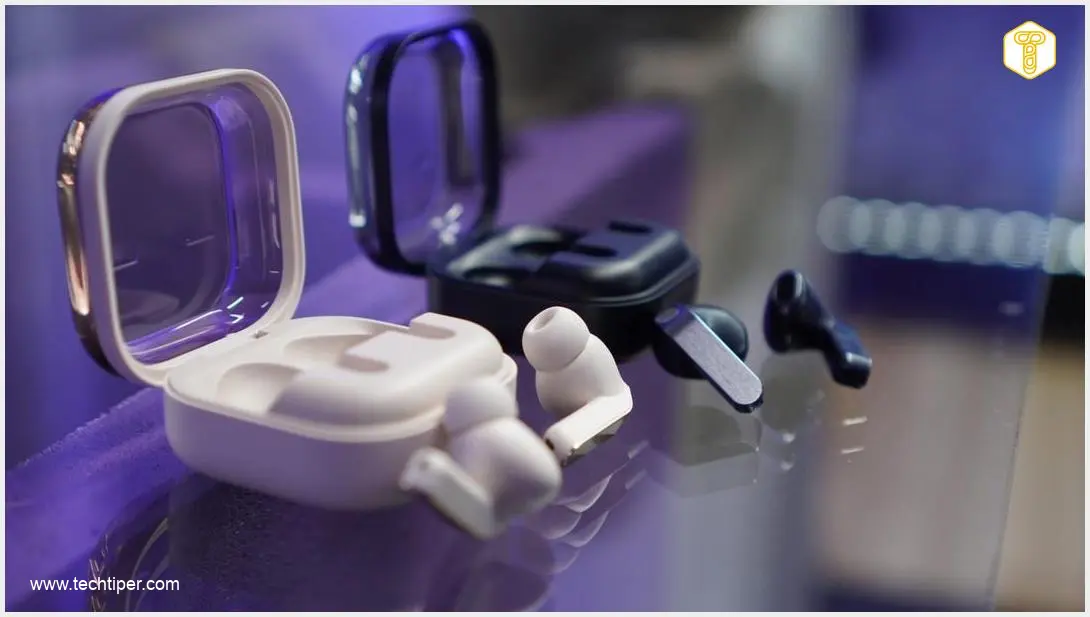
Samsung continues to refine its wireless audio ecosystem with a brand-new software update targeted at its latest earbuds, including the highly anticipated Samsung Galaxy Buds 4 and Galaxy Buds 4 Pro. While users are often eager for groundbreaking new tools or listening modes, this particular release prioritizes the foundation of any premium tech product: unwavering stability and seamless performance.
What to Expect from the Latest April Rollout
This recent software patch takes a highly targeted approach. Instead of overhauling the user interface or adding new active noise cancellation (ANC) features, Samsung’s developers have focused entirely on under-the-hood optimization to refine the daily user experience.
Key focus areas of this software update include:
- Code Optimization: Streamlining the core performance code to significantly reduce audio dropouts and latency.
- Enhanced Stability: Ensuring a more predictable, fluid Bluetooth connection between the earbuds and the host device.
- Bug Squashing: Addressing minor background anomalies that could disrupt the listening experience over extended periods.
If you recently had to troubleshoot the Samsung Galaxy March update custom fonts issue on your smartphone, you will appreciate Samsung’s ongoing dedication to ironing out software bugs across its entire device lineup.
Why Minor Firmware Patches Matter
It is easy to overlook updates that do not bring flashy additions, but these incremental patches are vital for device longevity. The direct impact of this specific firmware update may vary depending on your global region, the exact device model you own, and local network conditions. This means not everyone will notice the exact same changes immediately.
By implementing these micro-adjustments, Samsung aims to deliver a universally reliable audio experience. Consistent firmware support prevents unexpected connectivity hiccups that could otherwise ruin a perfectly curated playlist or an important phone call.
Speaking of expanding the capabilities of your audio devices, users looking for innovative ways to utilize their earbuds might be interested in the Samsung Galaxy Buds Hearapy app motion sickness solution, which beautifully showcases the growing health and wellness versatility of modern wearables.
How to Install the Latest Update via Galaxy Wearable
Samsung stresses that regularly installing updates is crucial for maintaining your hardware’s optimal performance. The company makes this process incredibly straightforward through its companion mobile application.
Follow these quick steps to check for and install the latest software:

- Open the Galaxy Wearable app on your connected smartphone.
- Navigate to the Earbuds settings menu.
- Scroll down and tap on Earbuds software update.
- Select Download and install to check for the latest available version.
- Keep your earbuds inside their charging case with the lid open during the entire installation process.
Frequently Asked Questions (FAQ)
Why does the April update for the Galaxy Buds focus solely on stability instead of new features?
Samsung frequently alternates between feature-rich updates and dedicated maintenance patches. This specific rollout is a maintenance update designed to optimize background code, resolve minor software bugs, and improve overall Bluetooth connection stability. Laying this stable groundwork is essential before the company introduces heavier, processor-intensive new features in future updates.
How does regional availability affect the rollout of Galaxy Buds firmware updates?
Firmware updates are typically rolled out in phases to prevent server overload and to monitor the patch for any unforeseen regional bugs. Depending on your location, local network provider, and specific device variant, it may take a few extra days or weeks for the over-the-air (OTA) update to appear in your Galaxy Wearable app.
What troubleshooting steps should I follow if the Galaxy Wearable app fails to install the audio update?
If an installation fails, first ensure both your charging case and earbuds have at least a 30% battery charge. Keep the earbuds inside the case with the lid open and ensure your smartphone remains nearby to maintain a strong Bluetooth connection. If the issue persists, restarting the Galaxy Wearable app, clearing the app’s cache in your phone’s settings, and rebooting your phone will resolve most temporary update glitches.
Source: Sammy Fans | Opening photo: Krzysztof Rojek
About Post Author
