

Contents
Samsung Quietly Accelerates Software Updates for Mid-Range Galaxy Phones
Samsung has apparently begun to treat its mid-range smartphone lineup much more seriously when it comes to software support. Multiple devices within the Galaxy A series are receiving security patches far more frequently than the manufacturer’s official schedule suggests.
Faster Updates for the Galaxy A Series
For years, Samsung has been highly praised for the robust software support provided to its flagship smartphones. Premium devices like the Galaxy S series and the foldable Galaxy Z models have consistently enjoyed monthly security patches and long-term operating system upgrades.
However, the situation for mid-range and budget-friendly devices was historically quite different. Many models in the Galaxy A family operated on a strict quarterly update schedule, meaning users only received new security patches once every three months. This was a clear compromise compared to their more expensive counterparts.
Recently, Samsung has quietly shifted its strategy. Smartphones in the Galaxy A lineup released since 2022 are increasingly receiving updates approximately every two months, with some models being updated even more frequently. While the manufacturer has not officially announced this policy change, users and tech enthusiasts have clearly noticed the accelerated pace in practice.
This is excellent news for consumers looking for highly capable smartphones under the $500 to $700 mark who do not want to spend thousands on a flagship device. Faster security patches mean enhanced data protection, fewer vulnerabilities, and a prolonged sense of device relevance.
Not All Galaxy Models Receive the Same Treatment
Among the devices benefiting from Samsung’s new approach are popular models like the Galaxy A33, Galaxy A34, Galaxy A35, and the highly anticipated Galaxy A36. The update frequency for these recent iterations has been particularly impressive.
Reports indicate that some of the latest mid-range entries have received up to eight updates shortly after their release. This is a significantly higher figure than what would normally be expected under a standard quarterly support timeline. While faster updates are generally positive, they can occasionally introduce minor software bugs, such as the custom fonts issue in the March update, which Samsung is usually quick to patch thanks to this accelerated schedule.
However, this accelerated rollout does not apply uniformly across the company’s entire portfolio. Entry-level models such as the Galaxy A13 and Galaxy A23 are still updated at a pace closer to the official quarterly guidelines, though even these devices occasionally see patches arriving slightly faster than promised.
Why Frequent Software Updates Matter
For first-time smartphone buyers or casual users, the importance of regular software updates cannot be overstated. Here is why Samsung’s faster rollout is a major advantage:

- Enhanced Security: Frequent patches protect your personal data from newly discovered zero-day exploits and malware.
- Bug Fixes: Regular updates ensure that software glitches, performance drops, or battery drain issues are resolved quickly.
- Device Longevity: Phones that receive consistent support remain functional and secure for a longer period, saving you money in the long run.
- Better Resale Value: A device with an up-to-date operating system and active security support holds its market value better than an abandoned model.
Frequently Asked Questions (FAQ)
Why did Samsung change the update schedule for the Galaxy A series?
While Samsung has not released an official statement regarding this specific change, the acceleration of updates likely stems from increased market competition and a broader commitment to improving device longevity and user security across all price tiers.
Will my older Galaxy A smartphone start receiving monthly updates?
Older or entry-level models, such as the Galaxy A13, will likely remain closer to their official quarterly update schedules. The accelerated update cycle is primarily being observed in mid-range models released from 2022 onwards.
How do I check if my Samsung Galaxy phone has the latest security patch?
You can easily check for the latest updates by navigating to your phone’s Settings app, scrolling down to “Software update,” and tapping “Download and install.” If a new patch is available, your device will begin downloading it.
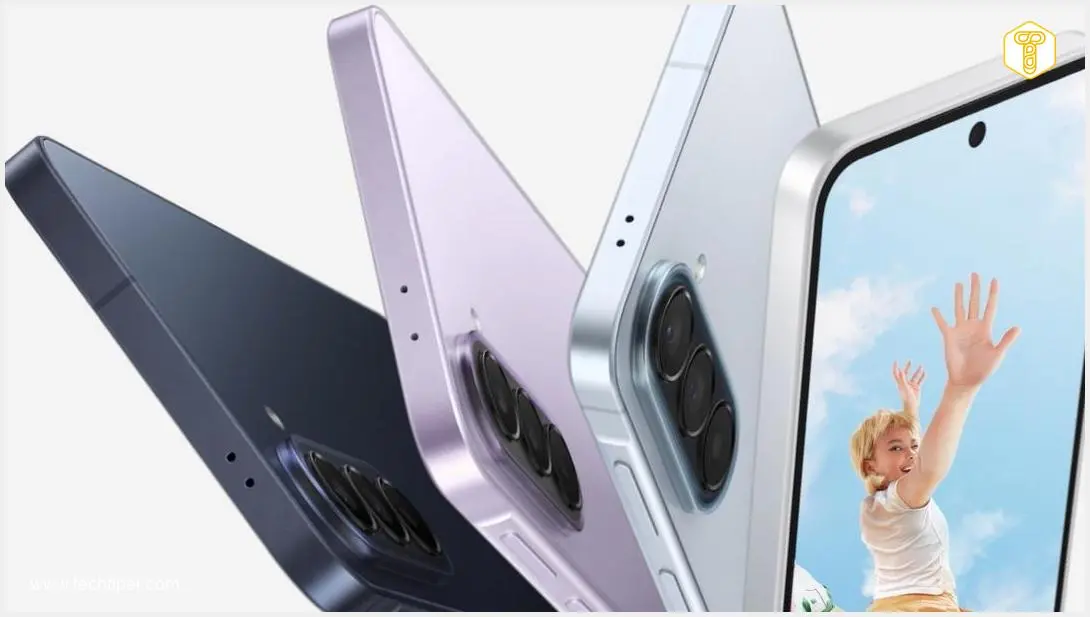
Source: Sammy Fans, own elaboration. Opening photo: Samsung press materials.
About Post Author
