

Contents
The Hidden Danger of Mobile SMS Blasters: How Fake Cell Towers Target Your Phone
Imagine driving through your city, stuck in mundane traffic, completely unaware that the car idling next to you is silently hijacking your smartphone. In mere seconds, a routine commute can escalate into a severe cybersecurity incident, putting your bank account at direct risk. The culprit behind this invisible threat is an “SMS Blaster”—a malicious device masquerading as a legitimate cell tower to intercept nearby mobile connections.
As cybercriminals adopt increasingly sophisticated tactics, understanding how these localized, high-tech attacks operate is critical. Here is a comprehensive look at what SMS blasters are, why they are so dangerous, and the steps you must take to safeguard your digital life.
What is an SMS Blaster and How Does It Work?
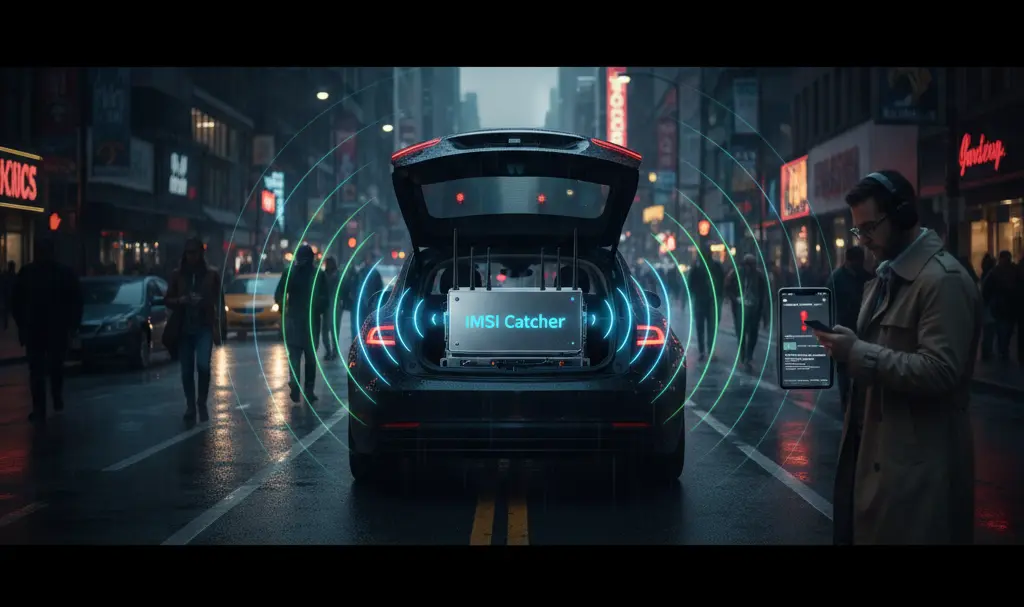
An SMS Blaster, often built around an IMSI Catcher (International Mobile Subscriber Identity catcher), is a specialized piece of hardware designed to mimic a legitimate Base Transceiver Station (BTS). In simpler terms, it acts as a fake cell tower.
These devices exploit a fundamental design flaw in global cellular network protocols: mobile phones are programmed to automatically connect to the cell tower providing the strongest signal. When criminals park a vehicle equipped with an SMS Blaster near a crowd or in heavy traffic, the device broadcasts an overwhelmingly strong localized signal. Nearby smartphones naturally drop their connection to legitimate carrier networks and automatically route their communications through the criminal’s fake tower.
- Silent Handover: The transition happens seamlessly in the background without triggering any warnings on the victim’s device.
- Network Downgrade: To bypass modern encryption, these devices often force the smartphone to downgrade its connection from 4G/5G to the highly vulnerable, unencrypted 2G standard.
- Mass Broadcasting: Once in control, the device can act as an SMS Broadcaster, flooding connected phones with spoofed text messages posing as reputable institutions like banks, postal services, or government agencies.
“Trunk Attacks”: A Growing Global Threat
The concept of deploying fake cell towers from the trunk of a car is not just a theoretical concept; it is an active, global criminal enterprise.
The scale of this threat gained major international attention following high-profile law enforcement actions, such as “Project Lighthouse” in Toronto, Canada. During this operation, police dismantled a sophisticated ring utilizing a mobile SMS Blaster to push thousands of fraudulent text messages simultaneously. Investigators noted that this marked a significant escalation in regional cybercrime, as the hardware physically forced devices to abandon legitimate networks.
Before making headlines in North America, similar operations were widely documented across Asia. In some instances, mobile syndicates managed to blast up. to a million fake SMS messages over the course of a single drive. Because the broadcast radius of a high-powered fake BTS can stretch across several miles, the campaigns are massively scalable. Even if a fraction of a percent of victims fall for the trap, the financial returns for the attackers are staggering.
Why SMS Blasters Are Far More Dangerous Than Standard Smishing
At a glance, an attack from an SMS Blaster might look like traditional SMS spoofing (where scammers manipulate the sender ID). However, the underlying mechanics make SMS Blasters exceptionally dangerous.
In standard smishing attacks, messages must travel through a legitimate telecom operator’s infrastructure. This allows carriers to deploy anti-spam filters, firewall rules, and anti-phishing algorithms to block malicious texts before they reach your device. SMS Blaster attacks completely bypass carrier networks. Because the fake cell tower communicates directly with your phone, there are no network-level security filters to protect you.

Furthermore, an advanced IMSI catcher does more than just send spam. It can:
- Sever Legitimate Connections: Isolate the victim from the actual cellular network, preventing legitimate incoming calls or verification texts.
- Extract Identifiers: Harvest the unique IMSI number of the SIM card, allowing for precise location tracking.
- Execute Man-in-the-Middle (MitM) Attacks: If the network is forced down to an unencrypted standard, attackers can potentially intercept unencrypted traffic.
Clicking the malicious links pushed by these blasters can trigger severe consequences, including the silent installation of banking trojans. To understand how dangerous these payloads can be, review this urgent alert on Android BeatBanker malware security tips.
The Attack from the Victim’s Perspective
The most terrifying aspect of an SMS Blaster attack is its sheer normalcy. To the victim, the smartphone appears perfectly functional. It displays full signal bars, data connections appear active, and system notifications arrive on time.
Suddenly, a text message arrives. The sender name perfectly matches your bank, a well-known courier, or a tax authority. The message usually relies on urgency—a frozen account, an unpaid customs fee for a package, or a mandatory security update. These psychological triggers mimic the high-pressure tactics often seen in web-based scams. For context on how to spot these manipulative methods, check our scareware and fake security alerts guide.
When the panicked victim clicks the link, they are directed to a flawlessly designed phishing portal. As they type in their passwords, credit card numbers, or two-factor authentication (2FA) codes, the data is handed directly to the attackers. Within minutes, criminals can authorize massive bank transfers, alter account credentials, and lock the victim out of their own digital life.
How to Protect Yourself Against SMS Blasters
Because the attack bypasses network operators, the responsibility for defense falls heavily on the end user and device-level security features.
1. Adopt a “Zero Trust” Policy for SMS
Never treat a text message as inherently trustworthy, regardless of who the sender appears to be. Scammers can spoof sender IDs with ease. Instead of tapping links in texts:
- Manually type your bank or service provider’s web address into your browser.
- Use the official, verified mobile application to check for alerts.
- Call the institution using a verified phone number from the back of your bank card or official website.
2. Disable 2G on Your Smartphone
To successfully inject data and intercept traffic, SMS Blasters usually force your phone to downgrade to 2G networks, which lack modern encryption standards. Disabling 2G is one of the most effective hardware-level defenses available.
Modern operating systems are increasingly offering this protection. Starting with Android 12, Google introduced a modem-level toggle to “Allow 2G” (initially on Pixel devices, now available on many Androids). Turning this feature off heavily mitigates the risk of downgrade attacks.
3. Keep Your Operating System Updated
Operating system developers are actively fighting back against Fake Base Stations (FBS) and Stingrays. Android 14 introduced the ability to disable “null ciphers” (such as A5/0)—a critical step, as fake towers rely on removing encryption to inject spoofed SMS data. Additionally, messaging apps like Google Messages are continuously testing advanced, on-device algorithms designed specifically to detect and quarantine messages originating from suspicious, non-standard network nodes.
Frequently Asked Questions (FAQ)
Can an SMS blaster intercept my internet traffic over 4G or 5G?
Generally, no. Modern 4G LTE and 5G networks utilize strong, mutual encryption protocols that make interception incredibly difficult. This is precisely why SMS blasters attempt to force your phone to downgrade to the outdated 2G standard, which lacks these critical security measures.
How can I tell if my phone has connected to a fake cell tower?
It is exceedingly difficult for an average user to notice without specialized diagnostic tools. Your phone will still show signal bars. Occasional clues might include sudden drops in network speed (as the connection is forced to 2G) or dropped calls, but the most reliable protection is proactively disabling 2G in your phone’s network settings.
Will using a VPN protect me from an SMS blaster attack?
A VPN will encrypt your mobile internet data (like web browsing and app traffic), keeping it safe from interception even if a fake tower downgrades your connection. However, a VPN does not affect standard cellular communications, meaning it cannot stop a spoofed SMS message from reaching your inbox.
Source: Gemini & Opening photo: Gemini
About Post Author
