

Contents
The Ultimate Guide to the Only 3 USB Cables You Will Ever Need
Most of us treat USB cables as an afterthought. We grab them in a rush from convenience stores or gas stations the moment our old one stops working. But this is a common mistake that ends up costing more in the long run. You truly do not need a chaotic drawer full of tangled wires and random adapters to stay connected.
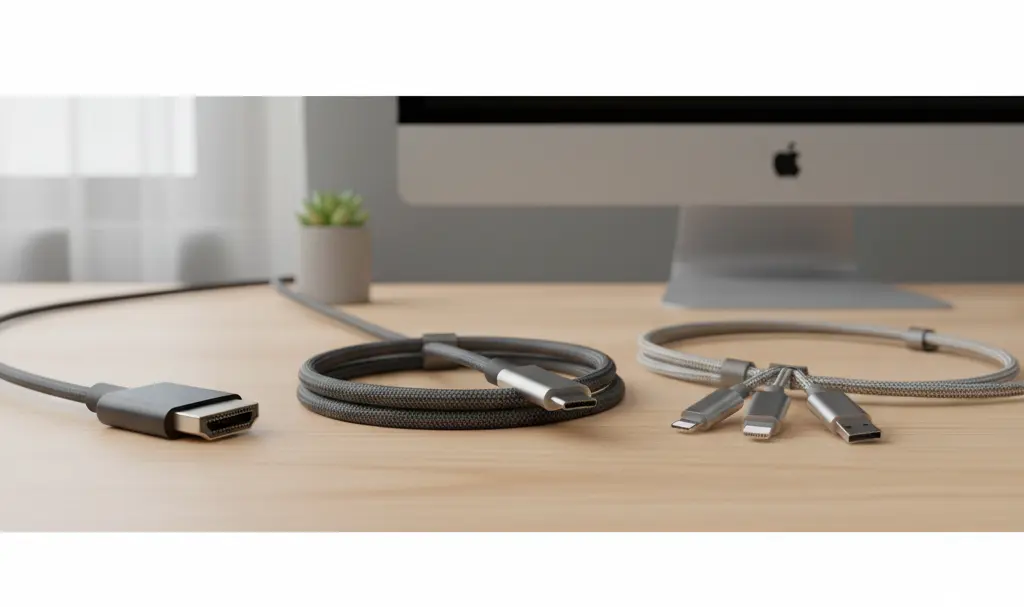
In reality, just three specific USB-C based cables are enough to cover almost every tech scenario imaginable. By keeping these three essential cables in your desk drawer or travel bag, you will be prepared for any situation, from rapid charging to impromptu presentations.
1. The High-Quality USB-C to USB-C Cable: Your Daily Driver
Never skimp on your primary charging and data cable, as a high-quality option will easily last you for years. A long, flexible, and preferably nylon-braided USB-C to USB-C cable equipped with Power Delivery (PD) is the absolute foundation of any modern tech ecosystem. The USB-C standard is here to stay, meaning this cable will serve as your primary connector for the foreseeable future.
Buying cheap, “no-name” cables is a major mistake. Not only do they charge your devices incredibly slowly, but they can also overheat, posing a significant risk to your expensive electronics. In some cases, using low-quality cables can lead to frustrating power bottlenecks, similar to the Samsung Galaxy S26 Ultra charger compatibility issue.
What to look for when buying your primary cable:
- USB-C 3.2 Gen 2 Standard: This supports data transfer speeds up to 10 Gbps, meaning you can transfer heavy 4K videos or massive photo libraries between your phone and laptop in seconds.
- Thunderbolt or USB 4: If you want the absolute best, consider Thunderbolt (versions 3, 4, or 5) or USB 4 cables. These offer the highest charging speeds, superior build quality, and pass strict quality control tests before hitting the market.
- Power Delivery (PD): Ensure the cable supports at least 60W (or ideally 100W) Power Delivery. This guarantees it can easily charge not just your smartphone, but also power-hungry tablets and laptops.
- Durability: Opt for a nylon-braided exterior and a length of about 6 feet (2 meters) for maximum convenience and longevity.
2. The Multi-Connector Cable: For Ultimate Versatility
We all know the feeling: a friend asks for a charger for an older iPhone, but as an Android user, you are powerless to help them. While Apple has finally transitioned to USB-C, there are still millions of older devices using the Lightning port. Furthermore, countless accessories—such as older e-readers or portable fans—still rely on legacy micro-USB ports.
This variety of ports is exactly why our cable drawers become unmanageable. A high-quality cable with interchangeable tips solves this problem permanently.
The greatest advantage of a multi-connector cable is its unmatched versatility. Typically, these cables feature a USB-A or USB-C plug on one end, and split into USB-C, Lightning, and micro-USB on the other. This single cable can power nearly any mobile device on the market today.
Why you need a multi-connector cable:

- Perfect for Cars: Instead of keeping three different cables in your glovebox, one multi-cable will keep any passenger’s phone charged during a road trip.
- Powerbank Friendly: Multi-cables are often shorter, making them the perfect companion for a portable battery. No one likes stuffing a two-meter tangled mess into their pocket while trying to charge on the go.
- Reviving Old Tech: These universal cables are perfect for charging older legacy devices or keeping your top 4 affordable Bluetooth gadgets that make life easier fully powered.
3. The USB-C to HDMI Cable: The Big Screen Transition
The USB-C to HDMI cable is easily the most underrated accessory on this list, yet it can work absolute wonders. It allows you to connect your smartphone directly to a television, monitor, or projector with zero lag—bypassing the frustrating setups and latency often associated with wireless casting.
Imagine you are traveling and your hotel TV only offers a handful of local news channels in a language you do not understand. With a USB-C to HDMI cable, you can simply plug your phone directly into the TV and stream your favorite Netflix or YouTube shows on the big screen.
But its capabilities go far beyond travel entertainment. When connected to a monitor, flagship smartphones transform into full desktop workstations. Systems like Samsung DeX or Motorola’s Smart Connect (formerly Ready For) give you a desktop-like interface, complete with window management and mouse support. You can easily edit documents, reply to emails, or run a presentation without ever opening a laptop.
Mobile gamers will also love this cable. Displaying your mobile game on a TV via HDMI eliminates the input lag that plagues wireless screen mirroring. Pair a Bluetooth controller to your phone, and you instantly have a full-fledged gaming console setup for the price of a single cord.
Conclusion
By investing in these three specific cables, you will be perfectly equipped to handle the demands of modern technology. Always prioritize quality and stick to reputable, well-reviewed brands. Do not view buying cables as a necessary evil; view it as a long-term investment that will save you money, protect your devices, and prevent headaches for years to come.
Frequently Asked Questions (FAQ)
Will a 100W USB-C cable charge my smartphone faster if my phone only supports 25W charging?
No, it will not. Your smartphone will only draw the maximum amount of power it is designed to handle (in this case, 25W). However, buying a 100W cable is still highly recommended because it future-proofs your setup and allows you to safely fast-charge larger devices, like laptops, with the exact same cable.
Are Thunderbolt cables worth the extra money for just charging a phone?
If you are strictly charging your smartphone, a standard high-quality USB-C cable with Power Delivery is more than enough. Thunderbolt cables are significantly more expensive because they support massive data transfer speeds (up to 40-80 Gbps) and high-resolution video output. They are best reserved for users who frequently transfer large files to computers or connect to high-end external displays.
Does screen mirroring via a USB-C to HDMI cable drain the smartphone’s battery quickly?
Yes, outputting video to an external display does consume more battery power. To combat this, look for a USB-C to HDMI adapter or hub that includes a “Power Delivery pass-through” port. This allows you to plug your charger into the adapter, keeping your phone’s battery topped up while you watch movies or work on the big screen.
Source: Gemini & Opening photo: Gemini
About Post Author
