

Contents
Google Maps Traffic Congestion Issue Resolved: A Server-Side Fix Arrives
Even highly stable applications like Google Maps can sometimes encounter hiccups. Recently, users reported significant problems with Google Maps’ ability to display real-time traffic conditions. This crucial feature allows drivers to optimize their daily commutes, ensuring they reach their destinations on time and avoid frustrating delays. Fortunately, it appears this issue has now been successfully resolved.
Understanding the Google Maps Traffic Display Glitch
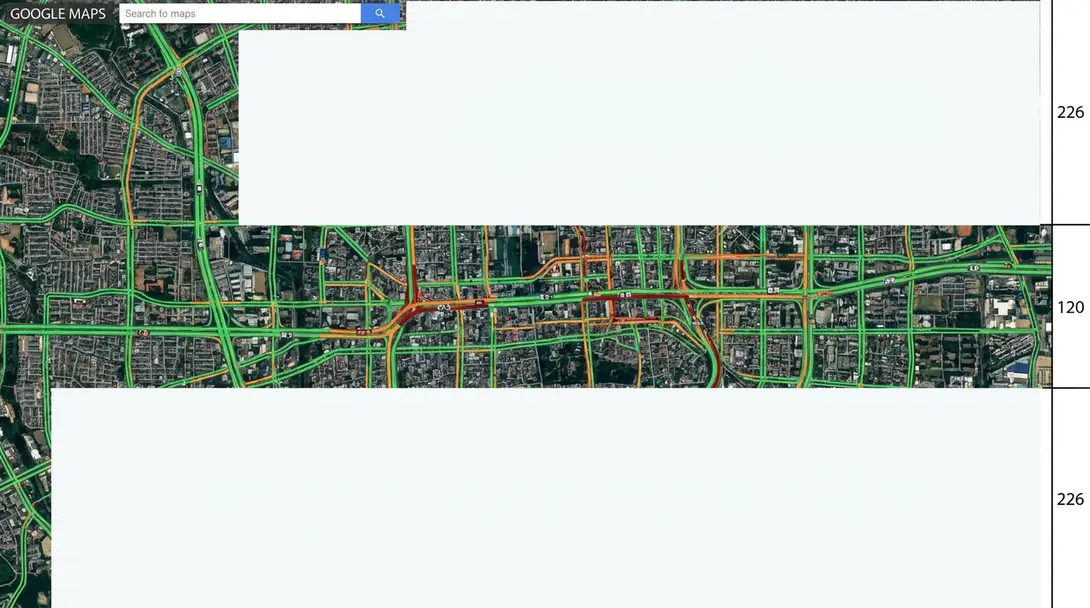
Over the past few days, Google Maps struggled to accurately show live traffic data. Users across various platforms noted the absence of the familiar green, orange, and red color-coded lines on their screens. These colors are essential indicators, with green signifying free-flowing traffic, orange indicating moderate congestion, and red denoting heavy delays or gridlock. The lack of these visual cues made navigating unfamiliar routes or peak-hour traffic significantly more challenging.
The timing of this bug coincided with several intensive recent updates to Google Maps. These enhancements include features like a speedometer display within Android Auto and the introduction of groundbreaking Immersive View 3D navigation. It’s not uncommon for such large-scale deployments to sometimes impact other functionalities, making the traffic display issue a plausible, albeit inconvenient, side effect. Initial reports regarding the problem began circulating recently.
Widespread Impact: Android, iOS, and Desktop Affected
A key aspect of this glitch was its broad impact. The error wasn’t confined to a single platform or operating system; it was uniformly reported across Android and iOS versions of the Google Maps application, as well as on desktop web browsers. This widespread distribution strongly suggested that the root cause lay with Google’s server infrastructure or the user interface rendering process, rather than a specific feature being disabled or a client-side application bug.
The Fix is In: Server-Side Update Restores Traffic Data
Google has officially confirmed that a relevant server-side update has been implemented to address the traffic display problem. This is excellent news for millions of users who rely on Google Maps for their daily navigation needs.
Crucially, users do not need to take any additional steps to benefit from this fix. There’s no application update to download or settings to change. Google Maps should now automatically revert to its normal functionality, accurately displaying real-time traffic congestion as it did before the issue arose.
Drivers can once again depend on Google Maps to provide reliable traffic insights, helping them make informed decisions on the road and ensuring smoother, more efficient journeys.
Frequently Asked Questions (FAQ)
Google Maps recently experienced a widespread problem where it failed to display real-time traffic congestion. Users reported missing the familiar color-coded lines (green, orange, red) that indicate traffic flow on roads.
Without real-time traffic data, drivers were unable to see current road conditions, making it difficult to choose optimal routes, avoid congested areas, and accurately estimate travel times. This led to potential delays and inconvenience for commuters.

Yes, Google has confirmed that a server-side update has been implemented to fix the problem. Google Maps should now be accurately displaying real-time traffic information once again across all platforms.
No, Google has stated that the fix was applied via a server-side update. This means you do not need to manually update your application on Android, iOS, or desktop browsers. The functionality should be restored automatically.
Google Maps uses a color-coding system to indicate traffic conditions:
- Green: Free-flowing traffic with no significant delays.
- Orange: Moderate traffic congestion, with some slowdowns.
- Red: Heavy traffic congestion, indicating significant delays or stop-and-go conditions.
Source: Android Authority. Opening photo: Gemini
About Post Author
