

Contents
Google Refreshes the Look of 5 Apps After Pixel 11 Series Launch
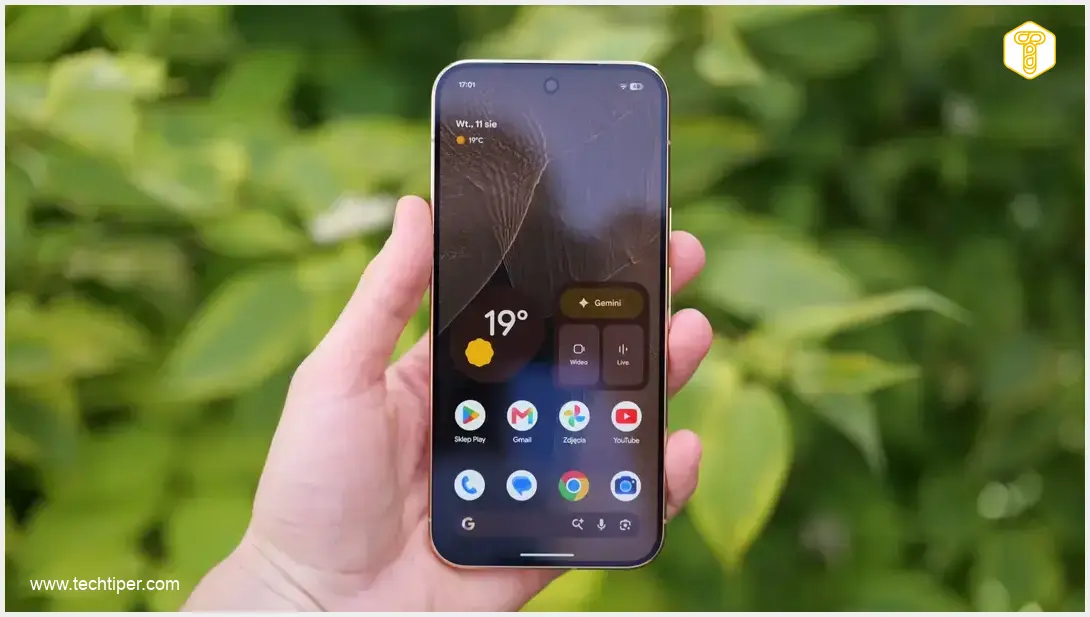
Google, the Mountain View giant, unveiled a host of new hardware at its Made By Google 2026 event, prominently featuring four new smartphones from the Pixel 11 family. Even before these devices officially hit the market, Google released discreet but significant updates to several key applications, subtly refining their visual appeal and user experience.
Prompt Updates for the Pixel 11 Series
Known for its rapid software updates and commitment to innovation, Google has taken an extra step with the upcoming Pixel 11 series. Just hours after their official announcement and nearly a week before their retail debut, the tech giant proactively refreshed the visual interface of five core system applications. This anticipatory approach ensures that users receive a polished and visually consistent experience from the very first moment they power on their new devices. For those eager to learn more about the latest Google smartphones, further details on their expected features and release schedule can be found here: Google Pixel 11 Leaks, Specifications, and Release Date.
Revamped App Aesthetics: A Closer Look at the Changes
The visual overhaul touches upon five essential Google applications, each receiving a distinct yet cohesive update that enhances its modern appeal and usability:
- Weather App: The familiar icon depicting the sun emerging from behind a cloud now boasts a richer and more vibrant color palette. Warmer red tones grace the lower part of the design, complemented by a distinct gradient on the cloud itself, adding depth and visual interest.
- Recorder App: This application underwent a more dramatic transformation. The previous cluttered background has been entirely removed, replaced by a minimalist, simplified red sound wave. This new design offers a cleaner, more focused interface, making recordings and playback more intuitive.
- Camera App: The Camera application introduces a refreshed outline, now featuring a new blue color palette. This updated design incorporates subtle transitions that enhance its modern aesthetic and provide a more refined visual experience for capturing photos and videos.
- Calculator App: Breaking away from traditional backgrounds, the Calculator app now presents mathematical symbols elegantly arranged within aesthetic green circles. This innovative layout provides a clean, contemporary, and intuitive interface for performing calculations.
- Clock App: The Clock application has also been redesigned, moving away from a simple white dial on a blue background. The new form factor is more contemporary and refined, enhancing its visual appeal and integrating seamlessly with the updated system aesthetic.
Embracing Material 3 Expressive for Visual Harmony
These thoughtful modifications are a direct reflection of Google’s ongoing commitment to its Material 3 Expressive design language. This advanced design system is progressively being implemented across the entire Android ecosystem, aiming to create a unified and intuitive user experience. The new icon designs and interface updates contribute significantly to a more uniform and visually cohesive appearance of applications on the home screen and throughout the operating system.
While individually these graphical adjustments might seem subtle and easily missed without a direct comparison, their collective impact significantly elevates the overall aesthetic of the user interface. This dedication to design consistency is a hallmark of Google’s product development, extending even to how users interact with advanced features like AI assistants. Discover more about the evolving integration of AI tools such as Gemini in mobile ecosystems: ChatGPT, Apple CarPlay, Android Auto, and Gemini Integration.
Frequently Asked Questions (FAQ)
Google’s proactive approach ensures that the Pixel 11 series launches with a refined and cohesive user experience right from day one. These updates align with the latest Material 3 Expressive design language, offering an enhanced aesthetic and visual consistency across the new devices.
Five core Google applications received visual overhauls: Weather, Recorder, Camera, Calculator, and Clock. Each app features distinct design enhancements, from updated color palettes to simplified backgrounds and refreshed layouts.
Material 3 Expressive is Google’s latest evolution of its design system for Android. It emphasizes dynamic color, deeper visual customization, and a more personal, emotional connection with the user interface. These app updates are part of Google’s broader strategy to implement this design philosophy across its entire ecosystem, promoting visual harmony and a modern aesthetic.
While these updates are specifically highlighted for the launch of the Pixel 11 series, Google often rolls out design language updates to older Pixel devices and, eventually, to the broader Android ecosystem through app updates on the Google Play Store. The exact timing and availability for non-Pixel phones may vary.

These visual updates contribute to a more modern, cohesive, and aesthetically pleasing user interface. By aligning with the Material 3 Expressive design language, the apps offer improved readability, clearer navigation, and a more consistent look and feel across the device, ultimately making the user experience more intuitive and enjoyable.
Source: AndroidAuthority, original work. Opening photo: Krzysztof Wilamowski
About Post Author
