

Contents
Google’s New Pixel Screen Features: A Step Forward or Catching Up to Samsung?
Google is introducing a new feature to its smartphones designed to improve screen viewing comfort throughout the day. In the highly anticipated Google Pixel 10 series, a brand-new settings section called “Comfort Filters” has made an appearance. Although the manufacturer presents this as a fresh innovation, the solution bears a striking resemblance to a feature that has been available on Samsung Galaxy smartphones for years.
A Closer Look at Google’s Comfort Filters
This new addition to the Pixel ecosystem replaces the traditional “Night Light” mode and operates much more comprehensively than a standard blue light filter. When enabled, the display colors become noticeably more muted and softer on the eyes.
The dampening effect applies system-wide, encompassing:
- Third-party applications
- System notifications
- The entire user interface
Google provides users with two distinct options: a manual mode for fixed settings and a dynamic mode that automatically adjusts the effect’s intensity based on ambient lighting conditions.
How Samsung’s Eye Comfort Compares
The primary critique of Google’s announcement is that remarkably similar features have been standard on Samsung Galaxy devices for a considerable amount of time. Within Samsung’s One UI software, users have long had access to the Eye Comfort Shield.
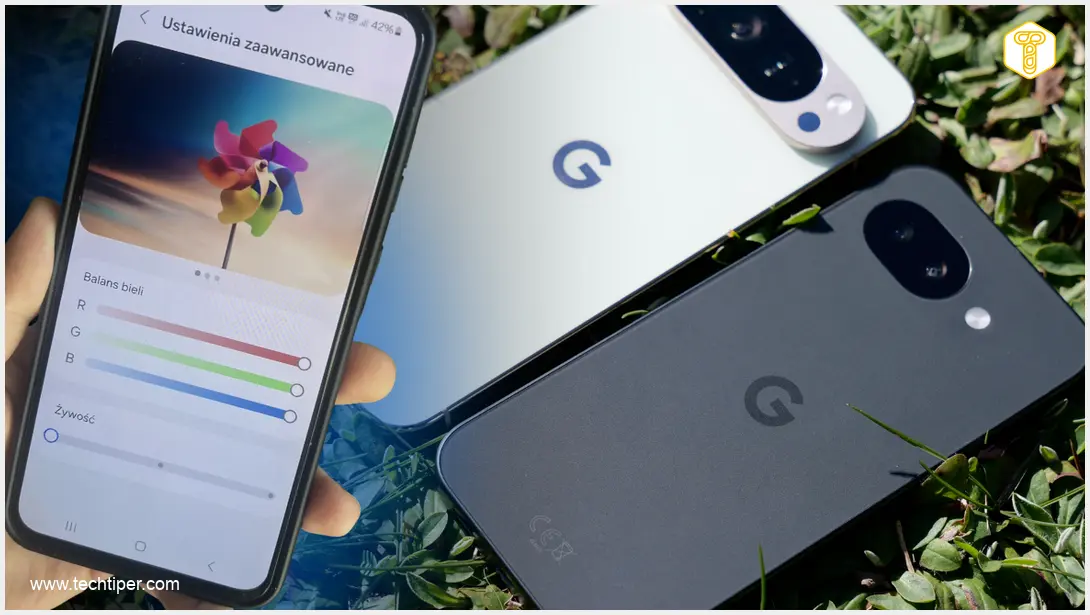
Samsung’s implementation goes beyond simple filters by offering:
- Advanced white balance adjustments
- Customizable color temperature sliders
- Manual RGB (Red, Green, Blue) saturation tuning on select models
This means Galaxy users can not only “soften” the display output but also precisely tailor the screen’s visual characteristics to their specific preferences.
Dynamic Adaptation vs. Scheduled Transitions
Crucially, Samsung’s solutions have operated dynamically for a long time, actively changing the display tone depending on the time of day and the user’s immediate lighting environment. Google is only just now bridging this gap by introducing an automatic mode to the Pixel lineup.
In older Google Pixel models, users were restricted to setting a rigid schedule for their eye comfort settings, completely lacking the ability to adjust the screen dynamically on the fly.

The Final Verdict
While Google hasn’t unveiled anything revolutionary with its Comfort Filters, moving in this direction is undeniably the right choice for user health and accessibility. However, it is difficult to call this a breakthrough. It is more accurately described as Google playing catch-up to display management solutions that Samsung Galaxy users have known—and highly customized—for a long time.
Frequently Asked Questions (FAQ)
Does the new Comfort Filters feature completely replace Night Light on Pixel 10?
Yes, Google’s new Comfort Filters section is designed to replace the traditional Night Light mode. It offers broader functionality by not just filtering blue light, but also muting colors across apps, notifications, and the entire user interface for a more comfortable viewing experience.
How does Google’s dynamic mode differ from its previous scheduling options?
In older Pixel models, users could only set a specific schedule for the Night Light to turn on and off. The new dynamic mode in the Pixel 10 automatically adjusts the intensity of the comfort filters in real-time based on your surrounding lighting conditions, similar to what Samsung has offered for years.
Can I manually adjust the screen’s color temperature on a Samsung Galaxy device?
Absolutely. Samsung’s One UI allows for extensive manual adjustments. Beyond the standard Eye Comfort Shield, users can tweak the white balance, adjust the color temperature, and on certain models, even manually adjust the RGB (Red, Green, Blue) saturation levels to perfectly match their visual preferences.
Source: own elaboration. Opening photo: own montage
About Post Author
