

Contents

Instagram Unlocks New Creative Control: Rearrange Your Profile Grid
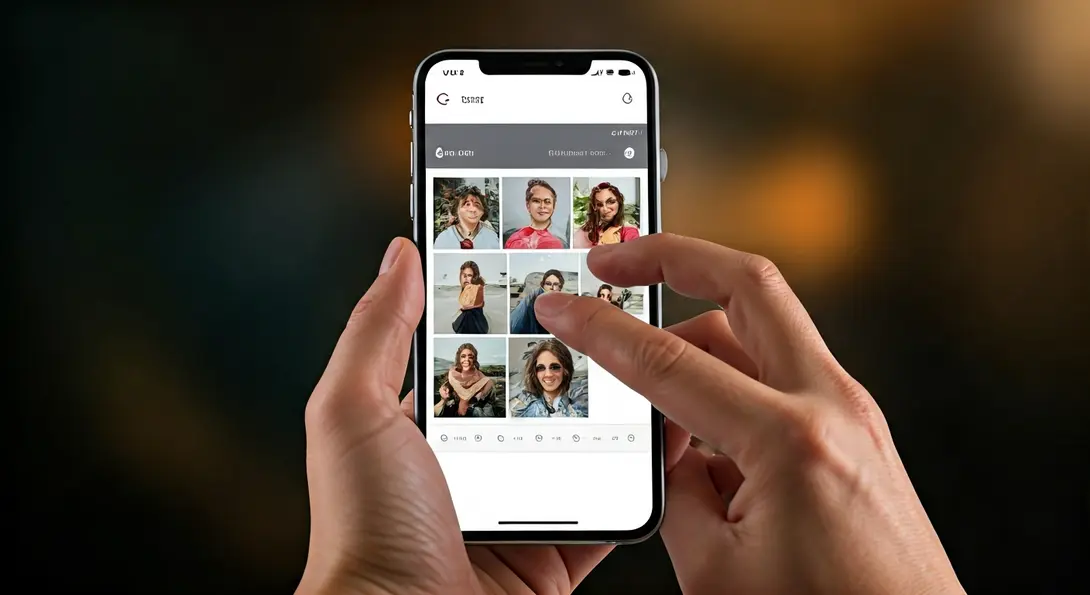
Instagram is rolling out a small but incredibly useful feature that empowers users with unprecedented control over their profiles. For the first time, you’ll be able to manually reorder posts on your grid without needing to delete content or meticulously plan future publications. This highly anticipated update marks a significant shift in how users can present their content, moving beyond the traditional chronological display.

The Long-Awaited Instagram Profile Feature Has Arrived
Historically, Instagram profiles displayed posts in strict chronological order, meaning the most recent uploads always appeared first. This system often forced users, especially those striving for a cohesive aesthetic, to either precisely schedule their content or rely on the limited option of “pinned posts” to highlight key visuals at the top of their grid. The desire for a more flexible layout has been a consistent request from the user community for years.
Adam Mosseri, head of Instagram, hinted at the development of this feature last year, with early traces of it even being discovered within the app as far back as 2022. Now, Meta is making this functionality available to users globally, responding directly to the widespread demand for greater creative freedom.
If you haven’t seen this option on your account yet, don’t worry. It’s rolling out in phases and should appear for you very soon, most likely with an upcoming app update. This enhancement comes alongside ongoing developments in other areas, including features currently being tested, like anonymous story viewing capabilities, which are discussed further in our article: /instagram-plus-anonymous-story-viewing-features-testing/.
How the New Grid Editing Option Works
Say goodbye to the days of “publishing for the grid” – where every post’s timing was dictated by your desired aesthetic. The new feature makes managing your profile’s appearance straightforward and intuitive.
To change the order of your posts:
- Navigate to your profile.
- Long-press on any post you wish to move.
- A new option will appear in the menu, allowing you to “Edit Grid” or “Rearrange Posts” (exact wording may vary).
- From there, you can drag and drop your photos and videos to any desired position within your grid.
Pinned posts will continue to remain at the very top of your profile, unaffected by this new rearranging capability, ensuring your most important content stays prominent. This level of control represents a significant step towards empowering users, building on Meta’s efforts to balance user experience with evolving platform features and privacy considerations, as explored in discussions around /meta-instagram-encryption-removal-privacy-concerns/.
Unleash Your Creativity: The End of Restrictive Posting
Previously, many content creators meticulously planned their publications to ensure a specific pattern, color scheme, or overall aesthetic on their profile grid. This often meant sacrificing spontaneous sharing or feeling pressured to maintain a rigid content schedule.
With the ability to freely rearrange posts, these constraints are now a thing of the past. Users will enjoy greater flexibility in publishing content as they wish, knowing they can always fine-tune their profile’s visual presentation afterward. This means more authentic, less stressful content creation, and a profile that truly reflects your evolving style and priorities.
Frequently Asked Questions (FAQ)
Instagram has introduced a new feature that allows users to manually rearrange the order of photos and videos on their profile grid. This means you can change how your posts appear without deleting them or relying solely on chronological order.
To use the feature, go to your Instagram profile, long-press on a post, and select the “Edit Grid” or “Rearrange Posts” option that appears. You can then drag and drop your content into your desired order.
No, your pinned posts will remain at the top of your profile, unaffected by the new grid rearrangement feature. You can still reorder other posts around them.
Source: Engadget. Opening photo: Hafizah / Adobe Stock
About Post Author
