

Contents
Samsung Galaxy Watch4 Series Receives Crucial August Security Update
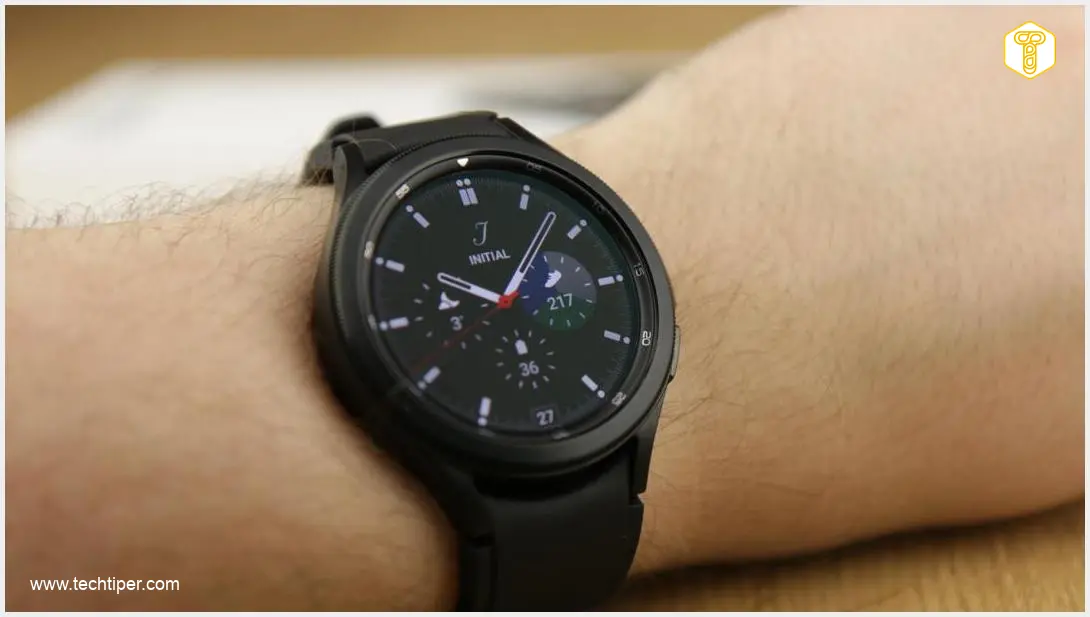
Samsung continues to demonstrate its commitment to product longevity by releasing a vital security update for its widely popular Galaxy Watch4 series, including the Classic models. Even several years after their initial release, these smartwatches are receiving essential attention, ensuring user data and device integrity remain paramount. This latest patch, the August security update, is a testament to Samsung’s dedication to its user base, safeguarding their devices against evolving digital threats.
Understanding the Significance of the August Security Update
This August security update is far from minor; it’s a critical measure designed to protect users from potential risks. The patch addresses a total of 56 potential security vulnerabilities. Out of these, a significant 8 vulnerabilities have been classified as critical, meaning they could pose severe risks if left unaddressed. These security flaws could potentially be exploited by malicious actors, compromising personal data or even gaining unauthorized control over the device. Installing this update is therefore highly recommended for all Galaxy Watch4 and Watch4 Classic owners.
The rollout of this important update began in South Korea and is steadily making its way to users across the globe. You can expect to see it available for your device within the coming days, if you haven’t already received a notification.
Identifying Your Update: Build Numbers to Look For
To confirm you have the latest security enhancements, keep an eye out for specific build numbers. For the standard Samsung Galaxy Watch4, the version number you should be looking for is R890XXS2JZG3. If you own the Samsung Galaxy Watch4 Classic, the corresponding build number is R890OXM2JZG3. These unique identifiers ensure you’re installing the correct and most up-to-date software for your specific smartwatch model. You can typically find your device’s software version in the settings menu of your smartwatch or through the Galaxy Wearable app on your connected smartphone.
Step-by-Step Guide: How to Install the Update on Your Galaxy Watch4
Installing the August security update is a straightforward process, but it requires a few preparatory steps to ensure a smooth and successful installation. Follow these instructions carefully to secure your device:
- Charge Your Smartwatch: Before initiating the update, ensure your Galaxy Watch4 or Watch4 Classic has at least a 30% battery charge. This prevents the device from powering down during the installation process, which could lead to software issues.
- Connect to Your Smartphone: Make sure your smartwatch is actively connected via Bluetooth to your smartphone.
- Open Galaxy Wearable App: On your paired smartphone, launch the Samsung Galaxy Wearable application.
- Navigate to Watch Settings: Within the app, locate and tap on the ‘Watch settings’ option.
- Find Software Update: Scroll down and select ‘Watch software update.’
- Check for Updates: The system will automatically search for available updates online.
- Download and Install: Once the August security update is found, tap on ‘Download and install.’ Follow any on-screen prompts to complete the installation. Your watch may restart during this process.
For more detailed assistance and troubleshooting tips, you may find our comprehensive guide helpful: Galaxy Watch4 Important Security Update Installation Guide.
Samsung’s Ongoing Commitment to Wearable Security
This update for the Galaxy Watch4 series highlights Samsung’s continuous effort to provide robust security for its wearable devices, regardless of their age. Users can rest assured that even older models receive critical patches to safeguard their digital experience. This commitment extends to newer devices as well, with regular updates ensuring ongoing protection and enhanced features. For example, users of newer models can also look forward to consistent security patches, as evidenced by updates such as the Samsung Galaxy Watch6 Classic February Security Update 2024.
Frequently Asked Questions (FAQ)
This update is crucial because it addresses 56 potential security vulnerabilities, 8 of which are critical. For older devices, continued security support means they remain protected against newly discovered threats, ensuring user data safety and maintaining the device’s integrity long after its initial release. It demonstrates Samsung’s long-term commitment to its users.
If the update isn’t immediately available, first ensure your smartwatch is fully charged and connected to your phone with an active internet connection. Try restarting both your phone and smartwatch. Since the rollout is global, it may take a few days to reach all regions. You can also try checking for updates manually again in the Galaxy Wearable app after some time. Patience is key during phased rollouts.

While this specific article focuses on the Galaxy Watch4 series, Samsung regularly releases security patches across its entire ecosystem, including smartphones, tablets, and other wearables. Many core security fixes often apply across different device categories, ensuring comprehensive protection. It’s always recommended to keep all your Samsung devices updated to their latest software versions.
Source: SamMobile. Opening photo: Lukasz Pajak Androidcompl
About Post Author
