

Contents
Unlock Android Auto’s Full Potential: Beyond Navigation and Music
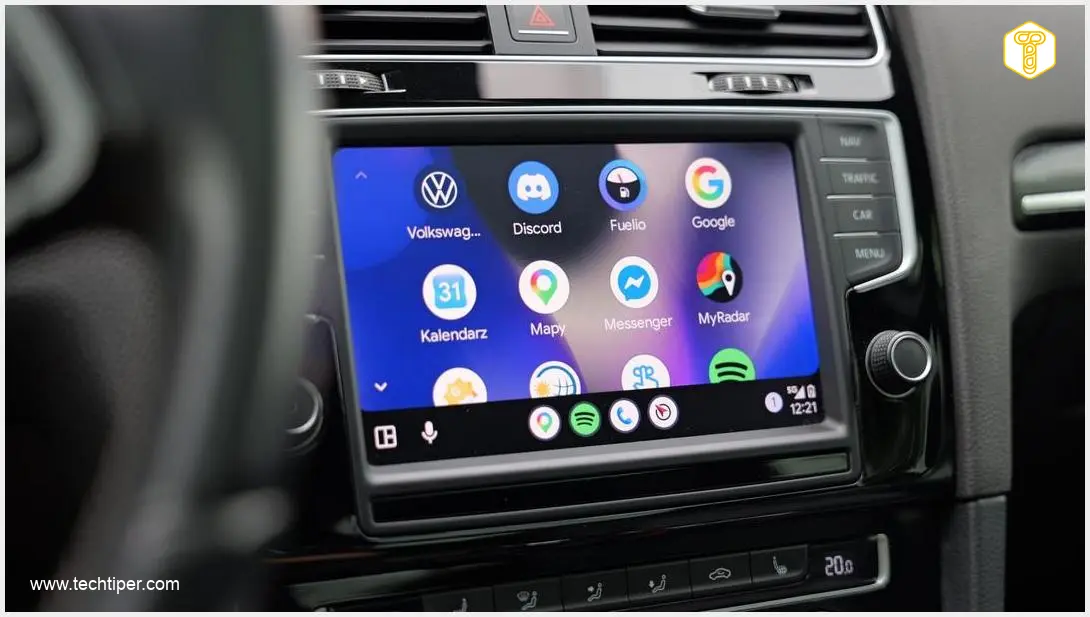
Android Auto is widely recognized by drivers for its core functions: navigation and music streaming. While these are undeniably useful, the platform’s true potential extends much further. By integrating the right applications, you can transform your driving experience, enhancing comfort, safety, and efficiency. Here are four innovative solutions worth exploring, whether you’re actively driving or taking a break.
1. MyRadar: Your Comprehensive Weather Companion on the Road
Adverse weather conditions can significantly impede travel and compromise safety. Traditional weather forecasts often lack the real-time precision needed for dynamic road trips. MyRadar addresses this critical issue by delivering accurate, live radar data directly to your car’s infotainment screen.
With MyRadar, you gain a clear, precise view of storm fronts, their current location, and their trajectory. This empowers you to make informed decisions on the go, such as pausing your journey or finding a safe spot to wait out severe weather. While the app may occasionally experience stability issues, it provides a wealth of useful information, including a basic built-in navigation feature to guide you around hazardous areas.
Understanding real-time weather can be as crucial as knowing your route. For more advanced route planning, especially for electric vehicles, you might find this article on Android Auto EV Route Planning with Google Maps insightful.
2. Fuelio: Navigate to Savings with Cheaper Fuel Prices
In today’s economic landscape, finding affordable fuel is a priority for many drivers. Fuelio is an invaluable application that simplifies this task by displaying fuel stations with the lowest prices directly on your Android Auto screen. This user-driven data thrives in urban centers with a large community of contributors, ensuring you get the most up-to-date pricing information.
Beyond finding the cheapest gas, Fuelio offers robust features for managing your vehicle’s expenses. Its smartphone application provides even more advanced functionalities, allowing users to log all their fill-ups, track fuel costs, and even record service expenses. By helping you monitor and control automotive expenditures, Fuelio can be a powerful tool for organizing your household budget.
3. Android Auto GameSnacks: Entertainment for Parked Moments
A road trip isn’t just about continuous driving; it also includes inevitable stops and waiting times. Whether you’re waiting for passengers, charging an EV, or simply taking a break, these idle moments can sometimes feel tedious. Android Auto’s integrated GameSnacks feature offers a perfect solution for combating boredom.
GameSnacks provides access to a curated collection of simple, engaging arcade games specifically designed for in-car touchscreens. These titles launch quickly, allowing you to instantly unwind with a quick game of chess or another casual pursuit. Some games even support two players, making GameSnacks a great option for passengers as well. For safety reasons, this entertainment feature is exclusively available when your vehicle is safely parked.
For more on integrating advanced features like AI into your in-car experience, consider exploring topics like ChatGPT, Apple CarPlay, and Android Auto Gemini Integration.

4. Google News: Stay Informed Safely on the Go
Keeping up with current events while driving can be distracting and potentially dangerous. The built-in Google News application on Android Auto offers an elegant, hands-free solution to this challenge. It intelligently processes the latest news headlines and articles, converting them into spoken word through your car’s audio system.
This innovative feature ensures that drivers can stay informed without ever needing to take their eyes off the road or their hands off the steering wheel. It’s a convenient and safe method to receive your daily dose of information, whether you’re commuting to work or embarking on a long-distance journey.
Frequently Asked Questions (FAQ)
Can I use any Android app with Android Auto?
No, Android Auto only supports apps specifically designed and optimized for its in-car interface. These apps must adhere to strict safety guidelines to minimize driver distraction. Developers need to ensure their apps work seamlessly with Android Auto’s simplified display and voice controls.
Are the apps mentioned available globally?
Availability can vary by region and device. MyRadar and Google News are widely available internationally. Fuelio’s effectiveness depends on user contributions in your area for local fuel prices. GameSnacks is integrated within Android Auto itself, so its availability is tied to the Android Auto system. Always check your local app store for specific availability.
What safety considerations should I keep in mind when using Android Auto apps?
Safety is paramount. Android Auto is designed to minimize distraction, but it’s crucial to always prioritize driving. Use voice commands whenever possible, and only interact with the screen when it is safe to do so, preferably when stopped. Features like GameSnacks are intentionally restricted to use only when the vehicle is parked to prevent driver distraction. Always be aware of your surroundings and adhere to local traffic laws.
Source: Own elaboration. Opening photo: Krzysztof Wilamowski
About Post Author
