

Contents
YouTube TV Custom Multiview: Build Your Own Split-Screen Experience
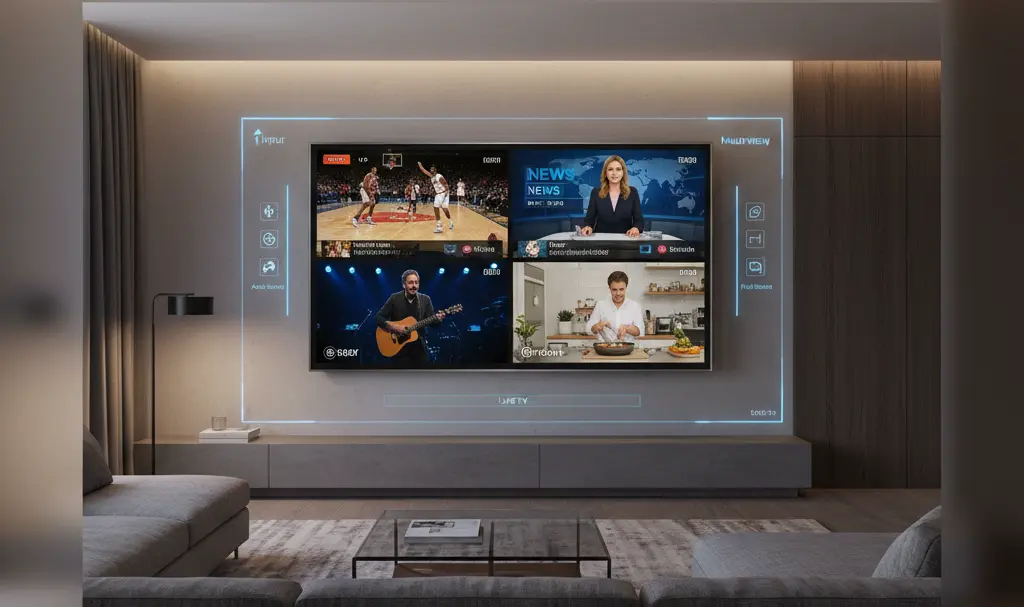
Google has officially started rolling out a highly anticipated update to the multiview feature on YouTube TV. The new functionality finally grants viewers the freedom to manually select the channels they want to watch simultaneously on a single screen. This is a massive quality-of-life improvement, especially for sports fans and news junkies who want to keep an eye on multiple live events at once.
Say Goodbye to Pre-Selected Bundles
Since its launch, the multiview capability on YouTube TV has allowed users to watch up to four live broadcasts at the same time. However, there was a major catch: viewers were strictly limited to pre-packaged channel bundles curated by the platform itself.
With the introduction of the new “Add to multiview” option, YouTube is finally handing the remote back to the user. You can now build your own split-screen layouts by mixing and matching content across various broadcast categories.
Key benefits of the new custom multiview update include:
- Total Customization: Combine local sports broadcasts with national news or entertainment networks.
- Up to Four Streams: Seamlessly run two, three, or four simultaneous live feeds.
- Cross-Platform Support: The feature is rolling out to both smart TV applications and mobile devices.
This level of user empowerment aligns with Google’s ongoing efforts to personalize the viewing experience, much like the recent rollout of YouTube’s AI-generated video summaries.
How YouTube TV Processes Multiple Streams
If you are wondering how a smart TV or smartphone can smoothly process four high-definition live streams simultaneously, the answer lies in cloud computing. Multiview on YouTube TV relies heavily on Google’s robust backend infrastructure.
Instead of forcing your local device to download and decode four separate video feeds, the heavy lifting is done server-side. Google combines the chosen channels into a single, unified video stream before sending it to your screen. This smart engineering ensures that the feature works flawlessly without requiring high-end hardware or eating up excessive local bandwidth.
Because full personalization requires a massive amount of dynamic server-side processing and real-time system scaling, Google is deploying this feature gradually. Expanding features smoothly across ecosystems has been a recurring theme, similar to the cautious rollout of YouTube’s integration with platforms like Android Auto.
When Will Custom Multiview Reach Everyone?
Currently, the feature is appearing for a select group of users in the United States. Reports indicate that access is being granted on an account-by-account basis rather than being tied to specific devices or operating systems. This suggests that Google is slowly flipping the switch on their servers to ensure stability.

As of now, YouTube has remained tight-lipped on an exact global release date or when every subscriber will see the “Add to multiview” button. However, the gradual rollout guarantees that the system is being optimized for peak performance.
Frequently Asked Questions (FAQ)
How many channels can I watch at the same time using YouTube TV custom multiview?
You can select and watch up to four live broadcasts simultaneously on a single screen using the new custom multiview feature.
Why is the custom multiview update rolling out so slowly?
Because the feature combines multiple live feeds into a single stream on Google’s servers, it requires massive computational resources. A gradual rollout ensures the servers can handle the increased load without degrading video quality or causing buffering.
Do I need a new, high-end TV to support YouTube TV’s multiview?
No. Since all the video processing and stream combining is handled on Google’s cloud servers, your device only receives one standard video feed. This allows the feature to work smoothly on older smart TVs and mobile devices.
Source: Android Authority. Opening photo: Gemini.
About Post Author
