

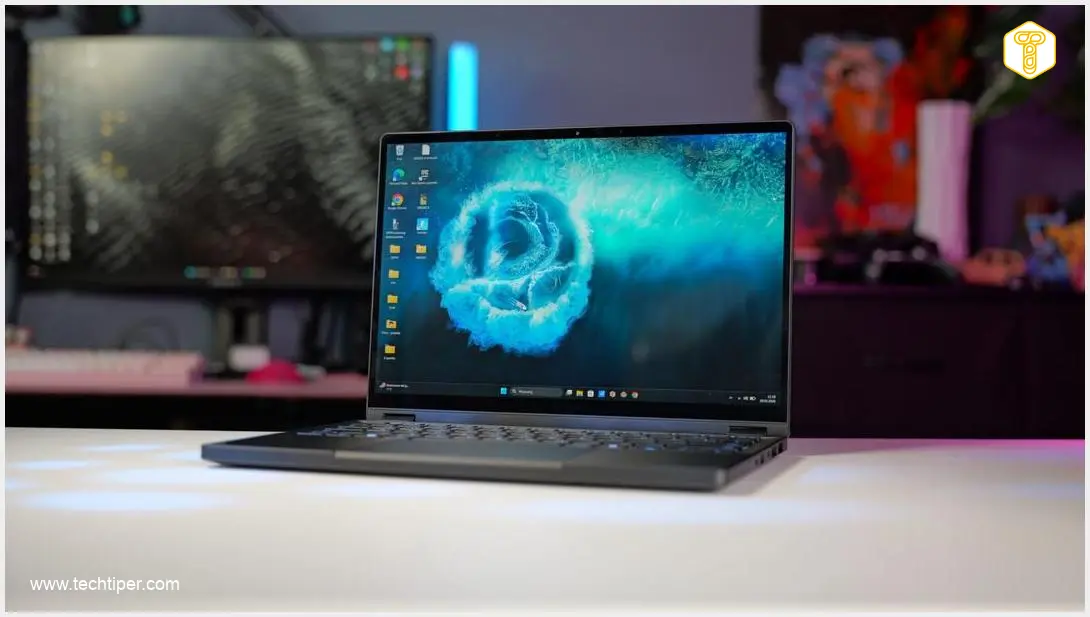
ASUS ProArt PX13 Review
-
Design & Portability
-
Performance
-
Display Quality
-
Battery Life
-
Connectivity & Storage
-
Value for Money
ASUS ProArt PX13: A Compact Powerhouse for Creators
The ASUS ProArt PX13 stands out as a compact and powerful laptop designed specifically for content creators. Boasting an exceptional OLED display, a formidable AMD Ryzen AI Max+ 395 processor, and a generous 128 GB of RAM, it handles demanding creative tasks like video editing with remarkable fluidity. Its durable, versatile 2-in-1 design and flexible charging options make it an ideal companion for professionals on the go, despite its premium price and some minor connectivity limitations.
Advantages
- Exceptional performance with AMD Ryzen AI Max+ 395 processor and 128 GB RAM
- Compact, portable, and durable design with military-grade certification
- Stunning 13.3-inch 3K OLED, factory-calibrated touch display
- Versatile 2-in-1 design for multiple configurations
- Flexible charging options, including USB-C Power Delivery
- Good battery life for light tasks and fast charging capabilities
Disadvantages
- Limited internal storage (1 TB) for large professional projects
- Restricted port selection (two USB-C, one USB-A)
- Only a micro SD card reader, no full-sized SD slot
- Can become noisy under heavy load (in turbo mode)
- Premium price point makes it inaccessible for many users
Contents
Reviewing the ASUS ProArt PX13: A Compact Powerhouse for Creators
Finding the ideal electronic device can be a challenge, especially when you have specific, demanding needs. However, the ASUS ProArt PX13 demonstrates that it’s entirely possible to discover a piece of equipment that truly stands out. This compact laptop packs an excellent display and phenomenal performance, qualities I thoroughly tested and confirmed during extensive travels, including a delegation to China.
Note: The ASUS ProArt PX13 was provided by ASUS for testing purposes. The manufacturer had no influence on the content of this review.
ASUS ProArt PX13: Designed for Portability
The ASUS ProArt PX13 is first and foremost a compact laptop that effortlessly fit into my relatively small backpack. While lighter and slimmer devices are available on the market, such as the ASUS ZenBook A14, which I used during the Snapdragon Summit 2025, the ProArt PX13’s dimensions (up to 0.7 inches thick) and weight (approximately 3.06 lbs or 1.39 kg) never hindered transport. Moreover, its screen size proved perfectly adequate for productive work.
Given its powerful processor, the manufacturer includes a sizable and somewhat heavy power adapter. Fortunately, the laptop supports charging via robust USB-C Power Delivery phone chargers. For a week-long trip to China, I carried the dedicated 200-watt power supply. However, during a two-day test drive of the new JAECOO 8, I only brought a compact 90-watt charger. This kind of charging flexibility is invaluable for travelers.
The design, particularly in the GoPro edition, is captivating. The laptop garnered attention even from users of the latest MacBooks. Its metal casing boasts phenomenal build quality. During numerous transit changes, I never worried about the ProArt arriving intact, thanks to its military-grade MIL-STD 810H certification, ensuring durability against bumps and drops.

Furthermore, this device offers a versatile 2-in-1 design. By rotating the screen, the ASUS ProArt PX13 transforms into a tablet. The robust hinge allows for various configurations, proving especially useful for consuming content, such as watching movies on an airplane where tray table space is limited.
Exceptional Performance That Impressed
For creative work, especially video editing, powerful components and ample RAM are crucial. The ASUS ProArt PX13 delivered on both fronts. It features an impressive sixteen-core AMD Ryzen AI Max+ 395 processor.
I was genuinely surprised that a mobile unit in a device weighing less than 3.3 lbs could compete so effectively with desktop chips. The performance difference compared to one of the most powerful consumer processors, the Ryzen 9 9950X with liquid cooling, was narrower than I initially anticipated. Below is a comparison from Cinebench 2026 benchmark tests:
- CPU Multi-Core (nT): ASUS ProArt PX13 (Ryzen AI Max+ 395) in standard/turbo mode achieved 5578 / 6664, compared to AMD Ryzen 9 9950X’s 8258.
- CPU Single-Core (1T): ASUS ProArt PX13 scored 610 / 620, while the Ryzen 9 9950X hit 712.
- GPU: The ASUS ProArt PX13 integrated graphics scored 14313 / 14115. For context, a high-end dedicated GPU like the RTX 5080 typically scores around 110235. While the PX13 isn’t a gaming powerhouse, its integrated graphics are remarkably capable for creative applications. For even more demanding GPU-accelerated workflows, users might consider NVIDIA Studio Laptops equipped with discrete GPUs.
- CPU Power Consumption (nT): Under multi-core load, the PX13 consumed 49.5 W, significantly less than the Ryzen 9 9950X’s 197 W, showcasing its efficiency.
The “Ryzen AI” designation indicates the presence of a dedicated NPU (Neural Processing Unit) with a formidable 50 TOPS (Tera Operations Per Second) performance, enhancing AI-driven tasks. This, combined with the efficient integrated graphics, ensures that demanding applications like Premiere Pro run smoothly without hitches.
A significant contributor to this seamless performance is the generous 128 GB of RAM. This is the first small laptop I’ve tested that allowed me to comfortably edit videos without any issues. In fact, a recent TikTok video I produced was edited entirely on this PX13, demonstrating its real-world capability.
Under heavy load, the laptop can become noisy, which is a common characteristic of high-performance laptops. In standard mode, the fan noise is manageable. However, enabling turbo mode provides a few extra percentage points of performance but necessitates the use of headphones with active noise cancellation for a comfortable working experience.
Minor Limitations for Professional Workflows
While the 128 GB of RAM is fantastic, the internal storage limited to just 1 TB for files can be a significant constraint for professionals. During my week in China, I easily filled half of the available space with project files and media.
The laptop offers two fast USB-C ports and one additional USB-A port. However, this means that connecting an external SSD, a common necessity for creators, immediately occupies one of the USB-C ports, using 33% of the available USB sockets. If you also need to connect the power supply via Power Delivery, you are left with only the single USB-A port for other peripherals.
I appreciate the inclusion of a full-sized HDMI port and a micro SD card reader on the ProArt PX13. However, many professionals, especially photographers and videographers, frequently use larger, standard SD cards. Since no other card reader is integrated into the design, an external USB adapter would be required. Aside from these minor connectivity and storage concerns, I found no other ergonomic or functional shortcomings.
Battery Life for a Full Day’s Work
My typical use of the ASUS ProArt PX13 during travel involved writing articles and scripts. I reserved video editing for evening sessions at the hotel, where I had access to a comfortable workstation and a power source. Both writing and streaming content are very light on the 73 Wh battery.
In such scenarios, you can expect at least 8 hours of battery life with the screen brightness set to at least 50%. When you engage in more demanding tasks like video editing, the laptop will require recharging after approximately three to a maximum of four hours.
The charging speed with the included power adapter is impressive. Replenishing energy with the 200-watt brick is incredibly fast. After just 10 minutes of charging, the ASUS ProArt PX13 regained 19% of its battery capacity. This means you can quickly get several hours of document work even with a short charging window.
When connected to a 90-watt Power Delivery charger, the computer indicates a lower power charge (11% in 10 minutes). However, it still manages to charge even during active video editing. This makes it an ideal solution when every gram in your luggage counts.
High-Quality Screen: Not Too Small for Productivity
The screen is brilliant for both professional work and content consumption. ASUS equips the ProArt PX13 with a 13.3-inch, factory-calibrated OLED panel, boasting a sharp 3K resolution (2880 x 1800 pixels). While the refresh rate is standard at 60 Hz, the contrast and maximum brightness are excellent, peaking at 500 nits in HDR content. The standard 400 nits ensure very good visibility even in sunny conditions. The panel is also touch-enabled, adding to its versatility.
For long flights without internet access, a dedicated tablet running iPadOS or Android might be a better choice for offline entertainment. During my travels, I searched for streaming services that allowed content downloads. My investigation led me to Prime Video, which did permit saving content, but unfortunately, I couldn’t access it without an internet connection. This is a common streaming platform limitation, not specific to the laptop itself.
ASUS ProArt PX13: A Phenomenal, Yet Premium Laptop
It has been a long time since I was this thoroughly satisfied with a portable computer. Working and enjoying entertainment on the ProArt PX13 is a true pleasure. I used this computer extensively in China and during travels across Europe, and it consistently performed without a hitch. While it does have a few limitations, its refined design, outstanding performance, and a massive 128 GB of RAM make it easy to overlook any drawbacks.
After nearly a month of use, I concluded that this laptop is perfectly tailored for content creators. Unfortunately, the biggest hurdle preventing me from purchasing one is the price. The tested version costs approximately $3,500 / €3,200 (or 14,000 Polish Złoty at the time of review). However, if you are seeking a lightweight, compact, and powerful Windows device for editing, and budget is not a primary concern, the ProArt GoPro Edition will prove to be an ideal companion.
Frequently Asked Questions (FAQ)
What makes the ASUS ProArt PX13 ideal for content creators?
The ASUS ProArt PX13 is equipped with a powerful sixteen-core AMD Ryzen AI Max+ 395 processor, a dedicated NPU for AI tasks, and a generous 128 GB of RAM. This combination allows it to handle demanding creative applications like video editing (e.g., Premiere Pro) with remarkable fluidity, making it a strong choice for professionals.
How does the ASUS ProArt PX13 balance portability with performance?
Weighing approximately 3.06 lbs (1.39 kg) and measuring up to 0.7 inches (1.77 mm) thick, the PX13 is highly portable. Despite its compact form factor, it houses a powerful AMD Ryzen AI Max+ processor that rivals some desktop CPUs in performance, ensuring creators don’t have to compromise on power while on the go.
What are the primary limitations of the ASUS ProArt PX13 for professional users?
The main limitations include the relatively small 1 TB internal storage capacity for large project files and a somewhat restricted port selection (two USB-C, one USB-A), which can quickly get occupied when connecting external drives and power. Additionally, it features only a micro SD card reader, which may require an adapter for standard SD cards commonly used by professionals.
Is the ASUS ProArt PX13 a good value for its premium price?
While priced at a premium (around $3,500 / €3,200 for the tested version), the ASUS ProArt PX13 offers unparalleled performance in a compact, 2-in-1 design, coupled with a stunning OLED display and 128 GB of RAM. For content creators who prioritize portability, power, and a top-tier user experience and for whom budget is not a constraint, it offers exceptional value.
Source: Own Work
Opening photo: Krzysztof Wilamowski
About Post Author
