

Contents

Waze Introduces In-App Traffic Light Display for Enhanced Navigation
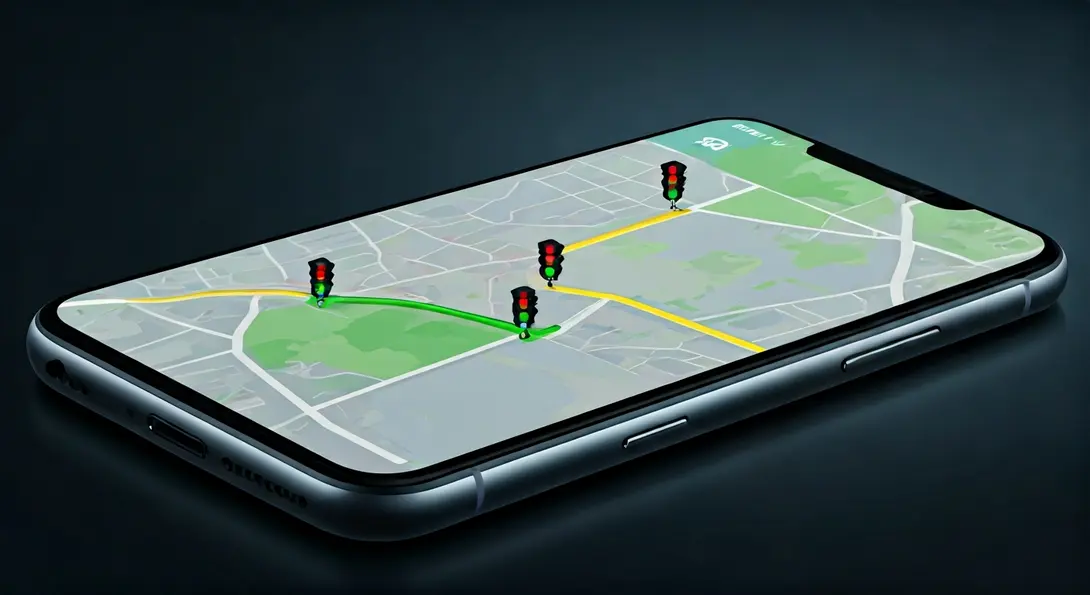
Waze, the popular community-driven navigation app, is progressively rolling out a highly anticipated feature that displays traffic light locations directly on users’ navigation routes. This innovation aims to provide drivers with crucial real-time information, improving route planning, safety, and overall driving experience. While the solution is not yet universally available, a growing number of users are reporting its presence within the application, signaling a wider deployment.

A Long-Awaited Enhancement for Waze Users
The integration of traffic light displays into Waze’s navigation interface has been a feature long requested by its user base. Extensive testing for this functionality has been underway for several months, with initial reports of its existence emerging as early as late 2023. This phased release underscores Waze’s commitment to refining the feature before its full rollout.
The new on-screen indicators are designed to streamline route planning and significantly enhance a driver’s situational awareness. This is particularly beneficial on longer journeys or in unfamiliar urban environments where anticipating traffic signals can dramatically influence traffic flow and, consequently, estimated travel times. By knowing the location of upcoming traffic lights, drivers can better anticipate stops, adjust their speed, and potentially avoid sudden braking.
Simple Yet Impactful: The Power of Advanced Information
At first glance, the concept of displaying traffic lights might seem straightforward. However, for many drivers, this addition represents a valuable source of supplementary navigation data. By providing this information proactively, Waze empowers users to better prepare for impending changes in road conditions. This foresight can lead to smoother driving, reduced stress, and more efficient journeys, positively impacting the entire travel experience.
As navigation technology continues to evolve, features like these become increasingly vital. For instance, advanced route planning, similar to what’s seen in EV route planning on Android Auto and Google Maps, relies on comprehensive data to optimize travel. Integrating traffic light data adds another layer of sophistication to Waze’s offerings.
Phased Rollout: Gradual Availability for All Drivers
The implementation of this new feature is proceeding gradually, meaning not all Waze users will see it simultaneously. In recent weeks, there has been a noticeable increase in reports from users confirming access to the new functionality. Online communities, including discussions on platforms like Reddit, are abuzz with drivers sharing screenshots and personal experiences of the feature in action.
However, this widespread reporting does not signify a complete deployment. Waze continues to roll out this new capability in stages, indicating that a segment of its user base may still be awaiting the traffic light indicators in their application. As of now, a definitive timeline for when the feature will become available to all Waze users globally remains unannounced.
This approach allows Waze to monitor performance, gather feedback, and address any potential issues incrementally, ensuring a robust and reliable experience for all once the feature is fully live. Competing navigation platforms, such as Google Maps with its new AI Immersive View update, are also continuously rolling out new features, highlighting the dynamic nature of in-car navigation technology.
Frequently Asked Questions (FAQ)
Waze’s new feature displays the location of upcoming traffic lights directly on your navigation route within the app interface. This visual cue helps drivers anticipate stops and plan their driving actions more effectively.
While some navigation apps offer basic traffic flow predictions, Waze’s implementation of displaying specific traffic light locations directly on the route map is a significant enhancement. It provides a more granular level of detail than many competitors, offering a clearer advantage for real-time driving adjustments and anticipatory planning. Google Maps, for example, focuses more on traffic conditions but doesn’t typically show individual traffic light icons in the same manner during active navigation.
Waze is implementing the traffic light feature through a gradual, phased rollout. This strategy allows the company to monitor performance, gather user feedback, and make necessary adjustments before making the feature universally available. This ensures a stable and optimized experience for all users once the full deployment is complete.
Users can check for the feature by simply starting a navigation route in Waze. If the feature is active for their account, they will begin to see small icons representing traffic lights appearing along their designated route on the map. Ensure your Waze app is updated to the latest version to increase the chances of receiving new features.
Beyond immediate navigational aid, integrating traffic light information can contribute to smoother traffic flow, potentially reducing fuel consumption due to fewer sudden stops, and decreasing driver stress. It empowers drivers with better foresight, leading to more relaxed and efficient commutes, especially in congested urban areas.
Source: 9to5Google, original reporting
Opening photo: Google / press materials
About Post Author
